Category Archives: Feldman Project

Phil 2.24.12

8:30 – FP

  • I think I found GLSL documentation! http://www.opengl.org/sdk/docs/manglsl/
  • A working convolution filter that blurs anything above a certain luminance:
  • #version 150
    // glow.fs
    // outputs the color negative of a texture
    //
    
    in vec2 vTexCoord;
    
    uniform int screenWidth;
    uniform int screenHeight;
    
    uniform sampler2D textureUnit0;
    
    vec4 getTexOffset(const sampler2D texUnit, const vec2 texCoord, const float dx, const float dy){
    	vec2 offset = texCoord + vec2(dx, dy);
    	return texture(textureUnit0, offset);
    }
    
    void main(void)
    {
    	float dx = 1.0 / float(screenWidth);
    	float dy = 1.0 / float (screenHeight);
    
    	float x;
    	float y;
    	vec4 blurSum = vec4(0, 0, 0, 0);
    	float patchSize = 4.0;
    	float xmin = -patchSize*dx;
    	float xmax = patchSize*dx+dx*0.5;
    	float ymin = -patchSize*dy;
    	float ymax = patchSize*dy+dx*0.5;
    	float count = 0;
    
    	for(x = xmin; x < xmax; x += dx){
    		for(y = ymin; y < ymax; y += dy){
     			blurSum += getTexOffset(textureUnit1, vTexCoord, x, y);
     			if(count > 1000){
    				discard;
    			}
    			count += 1.0;
    		}
    	}
    	float weight = 1.0/count;
    	vec4 blured = vec4(blurSum.r*weight, blurSum.g*weight, blurSum.b*weight, 1.0);
    	vec4 sharp = texture(textureUnit0, vTexCoord);
    
    	float luminance = blured.r + blured.g + blured.b;
    	if(luminance > 1.0){
    		gl_FragColor = blured;
    	}else{
    		gl_FragColor = sharp;
    	}
    }
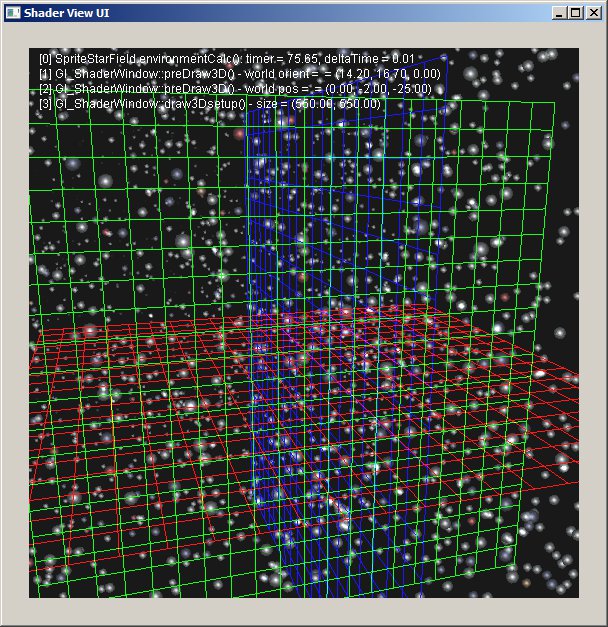
  • And here’s the picture it produces. Note the sharp moon and gridlines with the blurry sun 🙂
  • Next on the hit parade, add a test to see if the corners of the convolution filter touch anything above the luminance threshold and discard if it doesn’t. My guess is that should speed up things a lot. Done. Discovered that there are some odd problems that crop up as the screen gets made quite large. This could have something to do with the fact that I’m not checking to see that the convolution patch’s coordinates can run off the texture (i.e not clamped between 0.0 and 1.0)?
  • Migrate the screen drawing to a DrawableObject class. I’m pretty sure it should work there, as long as it’s called after postDraw3D(). In fact, it should be possible to have multiple screen drawing classes, though I’m not sure why.
  • Add shader directory to svn repo – done
  • And it appears that after a while, something is clogging the graphics pipeline, because the drawing slows way done. This does look like it’s due to the shader, as the neg.fs doesn’t seem to be slowing things down. Yep,  adding clamping to the glow.fs shader fixed that problem. Still have the problem where the screen texture gets messed up if the window gets too big…
  • So here’s the better version of the fragment shader
  • #version 150
    // glow.fs
    // outputs the color negative of a texture
    //
    
    in vec2 vTexCoord;
    
    uniform int screenWidth;
    uniform int screenHeight;
    
    uniform sampler2D textureUnit0;
    
    void luminanceTest(const sampler2D texUnit, const vec2 texCoord, const float xmin, const float xmax, const float ymin, const float ymax, const float luminance){
    	vec2 ll = clamp(texCoord + vec2(xmin, ymin), 0.0, 1.0);
    	vec2 lr = clamp(texCoord + vec2(xmax, ymin), 0.0, 1.0);
    	vec2 ur = clamp(texCoord + vec2(xmax, ymax), 0.0, 1.0);
    	vec2 ul = clamp(texCoord + vec2(xmin, ymax), 0.0, 1.0);
    
    	vec4 total = texture(texUnit, ll);
    	total += texture(texUnit, lr);
    	total += texture(texUnit, ur);
    	total += texture(texUnit, ul);
    
    	float weight = 1.0/4.0;
    	float val = (total.r + total.g + total.b)*weight;
    	if(val < luminance){
    		discard;
    	}
    }
    
    vec4 getTexOffset(const sampler2D texUnit, const vec2 texCoord, const float dx, const float dy){
    	vec2 offset = texCoord + vec2(dx, dy);
    	clamp(offset, 0.0, 1.0);
    	return texture(texUnit, offset);
    }
    
    void main(void)
    {
    	float dx = 1.0 / float(screenWidth);
    	float dy = 1.0 / float (screenHeight);
    
    	float x;
    	float y;
    	vec4 blurSum = vec4(0, 0, 0, 0);
    	float patchSize = 4.0;
    	float xmin = -patchSize*dx;
    	float xmax = patchSize*dx+dx*0.5;
    	float ymin = -patchSize*dy;
    	float ymax = patchSize*dy+dx*0.5;
    	float count = 0;
    
    	luminanceTest(textureUnit0, vTexCoord, xmin, xmax, ymin, ymax, 1.0);
    
    	for(x = xmin; x < xmax; x += dx){
    		for(y = ymin; y < ymax; y += dy){
     			blurSum += getTexOffset(textureUnit0, vTexCoord, x, y);
     			if(count > 1000){
    				discard;
    			}
    			count += 1.0;
    		}
    	}
    	vec4 sharp = texture(textureUnit0, vTexCoord);
    	float weight = 1.0/count;
    	vec4 blured = vec4(blurSum.r*weight, blurSum.g*weight, blurSum.b*weight, sharp.a);
    
    	float luminance = blured.r + blured.g + blured.b;
    	if(luminance > 1.0){
    		gl_FragColor = blured;
    	}else{
    		gl_FragColor = sharp;
    	}
    }

Tom DeVito 2.23.2012

Start: 10:00

  • Finished changes to the Data Dictionary.
  • Tested remote data.  Echo test worked when only one entry was sent but failed when multiple entries were sent.
  • Found the problem in the import data method.
  • Worked a little more on the Arduino Controllers.  Changed the variables to be in 0-255 range.

End: 6:00

Phil 2.23.12

8:00 – 4:30 FP

  • Step 1 – make a screen-aligned ortho polygon and make sure it’s drawing correctly with a simple shader, and that the text overlay still works – done
  • Step 2 – copy texture code over from modified pix_buffs.cpp – done. Other textures seem to mess everything up.
    • Added glActiveTexture(GL_TEXTURE0); to SolarSystem, which fixed the missing texture problem, but the screen texture still gets messed up. GOing to try putting in pieces of SolarSystem to find where it breaks, since everything works fine with just the Grid
  • Filling out matrix
  • Back to shaders. For some reason, I have to make sure that the screenwidth is evenly divisible by 4. Not sure why, but it’s easily fixed. So now we have this!
  • Committed everything to svn

Tom DeVito 2.22.2012

Start: 10:00

  • I got the Data Dictionary working in a way which makes it so only the publisher can change the data.
  • This still requires you to call a setData command to change the data in data dictionary.  I am thinking an update method, which is called either in the post process of the class or during the system loop, could cycle through the entries and compare the data in the dictionary to the data in the data pointer.  This way you would be able to set your local variables normally and the Dictionary would still be able to track changes.  Its probably better this happens once per program loop, as it would take a lot of cycles each time to compare the data.  I like this approach because if you want to add a pre-made class not designed for the system, you only have to publish or subscribe the variables you need and its “set and forget” from there.
  • Changed all the char and char* which were not being used for anything having to do with characters to uint8_t.  Although it technically doesn’t matter to store non char values in a char, it will not print correctly.  Also the send and receive base methods of windows and the arduino, use this by default instead of unsigned char.
  • Made an arduino sandbox for testing.  Added the com library for testing of remote data.

End: 6:00

Phil 2.22.12

8:00 – 1:00 FP

  • More rendering to a texture
  • Yay! Progress!
  • Yeah, I know it doesn’t look like much, but it means I’m that much less confused…
  • Deleting unneeded code for multiple buffers, malloc, etc.
  • Refresh rate drops on screen resize. Why?

1:00 – 4:30 VISIBILITY

  • VisTool Review

Tom DeVito 2.21.2012

Start: 9:00

  • Successfully passed data across the wire using the data dictionary
  • Working on figuring out a way to track if data is changed.  A method within the Data Dictionary to change the data can accomplish this.  The problem is locking manual sets.  Phil suggested using const variables.  This seems to work in a sense but I am not sure how to change it later.  I am thinking the parameter in the set method will have to be cast to whatever type the data is supposed to be.
  • Started working on the arduino controllers.  Need to ask Phil how he wants the data output.

End: 5:00

Phil 2.21.12

8:30 – FP

  • Reworking Gl_ShaderWindow so that it renders to a texture. Slow, slow progress.
  • Downloaded the code that goes with the OpenGL 4.0 Shading Cookbook. They seem to be using screen-aligned quads, which is more in line with the blur example. Going to work with that for a while.
  • Made a copy of the pix_buffs demo, and am now trying to simplify

Tom DeVito 2.20.2012

Start: 9:30

  • Increased my echo test to do 1000 passes to see if it would continue to run consistently.  The RTS state still seems to be sending too many times on pass back from the PC.  I was kinda in a rush when I finally got this working on friday, its possible I only fixed this on the arduino side.  When this was happening on the arduino, the buffer was becoming completely corrupted because it was overflowing.
  • This problem seems to have resolved itself.  I think the PC library was never rebuilt after I solved the problem.
  • Changed the has data test condition so that data starting with 0 would still work.
  • Strangely, if you try to receive a packet of 128 bytes on the arduino, the serial.available() method never returns true, so nothing is read.  However, if you send a 127 byte packet and then send a 1 byte messages and have separate calls to the read method for each, it doesn’t have a problem with this.  This might be a bug in the serial class but I want it to work this way so its no big deal.
  • Flushing the arduinos send buffer after each send causes some issues when the PC was running without delay.
  • Added the capability to send data buffers larger then 127.  Since the arduino will not let me send 128 bytes at a time, the max buffer size is 508 instead of 512.
  • Moved the Data Dictionary into the Communication library since it is necessary for sending of data easily.
  • Refreshed my memory on how the import and sending remote data should work.
  • Changed these methods to work with the updated comutil methods.

End: 5:30

Tom DeVito 2.17.2012

Start: 10:00

  • Before I tried sending a buffer over the wire, I checked to make sure the loadBuffer method was working as I had made changes since the last time testing.
  • Loaded the test data into 2 test buffers using for loops.  I completely forgot that you can initialize and increment multiple variables within the for statement.  That could save some typing in the future.
  •   Between yesterday and today’s problems with printing chars which have numeric values stored in them, I decided to change all chars to unsigned 8-bit integers.  When I moused over the windows and arduino send methods, I found this was the default type.
  • I did not know that c had a special data type for size(size_t).  It seems compatible with the most common int types.
  • The array was not printing out the proper results.  It was kind of dumb in retrospect, but I had a variable involved with the initialization of the counter and loop condition, incrementing with the loop.  I took this out of the loop and added it to the size and the problem was resolved.
  • After a lot of work I got the states to change properly when receiving data.  The data on the other hand is messed up.
  • Tried sending the data from the arduino to the pc this time.  The data is transfering up but the first  two bytes seem to be extra communication data.  This is also knocking the message to the wrong place in the buffer.  Found the culprits and took them out.  This works now 🙂
  • Echo test is now working.  I needed to reduce the buffer to find out that there was a message being sent while the other side was trying to process.  Fixed this, I should be able to set the buffer back to 128.
  • Both directions are working without corruption.  Currently this only works for 1 packet of data.

End: 5:30

Phil 2.17.12

8:30 – FP

  • Started off the day with sprites. Here’s a starfield:
  • The neat thing about this is that the stars are handled as sprites, which means that it’s possible to handle text overlay with a shader now. I think that the way it could be done would be to create a single grid with all the characters and pass that to the vertex shader with the XY index and size of the letter. The vertex shader moves the texture so that the letter is centered and then passes off the texture and size to the fragment shader, which clips the output so only the particular letter is shown. Not going to do that yet, but it’s probably the first tool after I finish the book.
  • Worked my way through the pixBuffer/motion blur section, but I don’t think it’s worth incorporating into the framework.

Tom DeVito 2.16.2012

Start: 9:30

  • Confirmed that the PC is not sending data by opening the serial console in the arduino IDE and sending 1 byte manually.  The arduino’s receive light blinked and the sending light turned on continuously as expected.  It has occurred to me, that it should not be sending messages continuously.
  • Now that the state machine is in better order, I can make the initialization non-blocking.  This was a untested, temporary solution and may be the cause of the PC not sending.
  • Made a change to the windows ComMgr so it will return false if the port does not open properly.  This will trigger an ERROR state, which will print out a “cannot open port” message from ComUtil.  The arduino, being the slave, does not need to worry about this.
  • Sending messages and state changes are now only done after a message is received.  The computer will send the first message on initialization.  Once this happens they will take turns updating each other on their states.  This will hopefully fix the problem with a constant stream of messages.
  • On testing the changes, I have found that the port is opening properly but windows is still not sending anything.  I did make a change to the way the send method works, so maybe I broke it.  The remote state is now properly reporting 0, which is the default state if no message is received.  For some reason, it was reporting 13 before, which made no sense as its not even a valid state.
  • Manual testing of the Arduino with serial console shows that it is now only sending when it receives a message.  The response seems to be corrupted though.    Maybe I am just sending bad data.
  • Found that I was casting the message char as a char*, instead of passing the reference to the char(&char).  Continuing to test with the arduino, but this may solve the windows not sending problem.
  • Tried an echo test once I saw the ardino’s state was not changing.  For some reason it echos back the ascii code.  When the value is set internally it successfully sets and returns ‘0’ but when I send ‘0’ it returns 48.
  • Received data was not being cast to char.  Considering this feeds into a character array which is later ingested by data dictionary, this is actually very important.  This might be the source of all the problems I have had with prior attempts.  The PC would receive good data from anything originating in the arduino, while the data which depended on the PC communication would come back corrupted.  This gave the illusion it was working when I was looking at sensor data.
  • Defined states needed to be characters so I had to put single quotes around them.  I was doing the states differently before.
  • Tested states and it seems to be good for the most part.  There are some possible conflicts with messages and data which need to be resolved.  Since I made it so the packets are 127 bytes instead of 128, I can put the message at the beginning of the packet.
  • Changed and traced the logic of the states.  This was tricky but I think I got something that will work now.
  • Set up testing for large data passing.  I will start this tomorrow.

End: 5:30

Phil 2.16.12

8:30 – 4:30 FP

    • Reflection cube maps today
    • And they are working! The trick to handling rotating reflections is the following (note that the camera matrix is determined before the model roation, and the surface normal is calculated after the rotation.):
	M3DMatrix44f mCameraRotOnly;
	M3DMatrix44f mInverseCamera;
	M3DMatrix33f mNormalMat;

	const M3DMatrix44f &mCamera = modelViewStack.GetMatrix();

	modelViewStack.PushMatrix();
		modelViewStack.Rotate(angle, 0.0f, 1.0f, 0.0f);

		orient44fromMat44(mCameraRotOnly, mCamera);
		orient33fromMat44(mNormalMat, modelViewStack.GetMatrix());
		m3dInvertMatrix44(mInverseCamera, mCameraRotOnly);

		projectionStack.PushMatrix();
			projectionStack.MultMatrix(modelViewStack.GetMatrix());
			glUseProgram(reflectionShader);
			glUniformMatrix4fv(locMVPReflect, 1, GL_FALSE, projectionStack.GetMatrix());
			glUniformMatrix4fv(locMVReflect, 1, GL_FALSE, modelViewStack.GetMatrix());
			glUniformMatrix3fv(locNormalReflect, 1, GL_FALSE, mNormalMat);
			glUniformMatrix4fv(locInvertedCamera, 1, GL_FALSE, mInverseCamera);
			triangleBatch.Draw();
			glUseProgram(NULL);
		projectionStack.PopMatrix();
	modelViewStack.PopMatrix();
  • It seems to be a nice day for pretty pictures. Here’s an example of multitexturing:
  • And now that our connection is better, maybe I’ll install R on fgmdev

Tom DeVito 2.15.2012

Start: 9:30

  • Made a lot of small changes to fix minor issues and finished some methods which were missing parts.
  • Tried testing it.  Seems that the sendData is not working at the moment.  The light did not light up on the arduino.
  • I was testing it outside the library before.  It seems the port is not opening properly from inside the library.  I thought this might have to do with members of static libraries not being able to have instance of classes in them, but Phil told me that’s most likely not the case.
  • Its a bit tricky to make a library project into an exe for testing so I might just copy all the classes into an exe project.
  • I am wondering if I would be able to test the communication with another windows machine hooked up by usb.  This would be a better way to troubleshoot as I could easily display outputs.  I am not sure how both machines would open the port though.

End: 6:00


Phil 2.15.12

8:30 – 4:30 FP

  • Making good, albiet slow progress on shaders. It’s kind of like programming in pre IDE-days; edit in vim then submit to the GPU compiler for a cryptic message. On the list of things to do is a framework that allows for the more sophisticated editing of shaders in the context of a running program. Will probably do this is Java for eclipse. Looks like there’s a starting point here: http://glshaders.sourceforge.net/
  • Nice progress so far. Let’s see if this video uploads…
  • solarSystem
  • Useful post on how to make a skybox with photoshop: http://www.interlopers.net/forum/viewtopic.php?f=44&t=31549
  • Going to set up a new project – ShaderLearning2
    • Use frame this time in Gl_ShaderWindow. Nope, I need Euler Angles for this.
  • Need to install R on the new server.

Tom DeVito 2.14.2012

9:30 -2:00 Tech support

  • After many e-mails and phone calls, it looks like the server is now operational and fgmdev.com is pointing to it.  We still need to transfer domain ownership once we get a account with http://www.enom.com
  • Everything is the same on the new server; if you need to ftp, make sure your using sftp.
  • I need to figure out how to reset RSA key so I can SSH in.  Just noticed this at the end of the day, so I’ll look into it tomorrow
  • Noticed the printer had printed out a bunch of junk last night.  I am not sure why this happened,  but I found that there was a firmware update, dated sometime last month.  Hopefully it works better in the future in general
  • Called Comcast about outages, looks like they finally got around to fixing the problem

2:00-5:30

  • I think I finally got the state machine working right.  I will have to examine this more closely tomorrow.

char ComUtil::changeState()
{

if(_rState == RTS && (_lState == READY || _lState == DONE))  //Receiving states  I think it is important that this is checked first
_lState = CTS;
else if(_rState == SENDING && _lState == CTS)
_lState = RECEIVING;  //Stay in this state til all packets are sent

else if(_hasData == true && (_lState == READY || _lState == DONE)  && (_rState == READY || _rState == DONE))  //This state only happens on first send of if the receiver has nothing to send.  Finished Processing automatically put the receiver into a RTS state if it has data
_lState = RTS;
else if(_rState == CTS && _lState == RTS)
_lState = SENDING;

else if(_rState == SENDING && _lState == ACKNOWLEDGE)
_lState = RECEIVING;
else if(_rState == ACKNOWLEDGE && _lState == WAITING)
_lState = SENDING;
else if(_rState == DONE && _lState == ACKNOWLEDGE)  //When the last packet is sent the sender goes into a DONE state
_lState = PROCESSING;

return _lState;
}

  • This method feeds into a switch statement which looks for SENDING and RECEIVING states.  These two states require more then a simple change of state, which is why they are processed separately.  Once one side sends something it goes into a WAITING, depending on how many packets are to be sent.  It will stay in that state til it gets an ACKNOWLEDGE from the other side.  Likewise if the local state is RECEIVING, it will change to ACKNOWLEDGE after it receives.  On the last packet sent, the sender goes to a DONE state which triggers the receiver to go to a PROCESSING state.  It stays in the PROCESSING state til an external element calls the finishedProcessing() method.  Once finished processing, the receiver goes into either a RTS or DONE state, depending on if it has data.
  • Added a public boolean method called isProcessing(), so the data dictionary will know when it needs to ingest data.
  • If the sender goes into a DONE state after the  last packet sent, number of packets sent does not need to be sent across the wire.  This means each message is only 1 byte, as only the state needs to be sent.
  • The inclusion of the WAITING and ACKNOWLEDGE states, should fix the problems I found while testing on Monday, where it was sending more data before the other side was ready.

End: 5:30