Category Archives: Javascript

Phil 3.3.15

8:00 – 4:30SR

  • Deploying new FR
  • Status report
  • Transfer grunt/make to work dev box. Done and working. Looking for something that will allow me to coordinate dependencies like the unix touch. Found it here: http://sourceforge.net/projects/touchforwindows/
  • Working on the project makefile.
    • Build works and has been cleaned up
    • Added clean
    • Added grunt-local, which sets up grunt with what’s needed to watch the makefile
    • Added grunt-global, which installs the grunt command line globally
  • Started on templates for AngularTS modules, directives and controllers.

Phil 3.2.15

8:00 – 6:30 SR

  • The world is a sheet of ice. Working from home.
  • Was able to update my directory, but the watcher in IntelliJ is based on save actions in the file you’re editing. This is horribly frustrating in that sometimes the whole project needs to compile based on dependencies. The answer for this appears to be Grunt, and it looks like the process is laid out here.
  • Timesheets are working!
  • Ok, everything below this line is a rant, basically. If you want to know what wound up working, read here.
  • Installing Grunt, which has caused IntelliJ to completely freeze “Scanning files to index”. This is really pathetic.  Going to go scrape ice for a while and hope that my Xenon 3.3Ghz tower with 8 GB of ram can finish scanning some JavaScript Files. It may be a memory issue. From StackOverflow:

    I had the same problem with slowness in IntelliJ 13 after upgrading from 12. What worked for me was editing the idea64.vmoptions in the bin folder and setting the max heap to 8 GB (was 512 MB) and the Max PermGen to at least 1GB (was 300MB).Example below:
    -Xms128m
    -Xmx8192m
    -XX:MaxPermSize=1024m
    Upon restart it was much faster.

    Then again, it may not be. I started to get error messages on the install that had hugely deep paths. A *lot* (30,000 files!) of stuff was getting installed. More than needed. Deleting it all and trying again from outside the IDE. If that doesn’t work, then I’m going to change the watcher so that it compiles all items explicitly.

      • Nope, disregard all of the above. The enormous install was because I had mistaken
      • npm install grunt-contrib-watch –save-dev
      • from
      • npm install grunt-contrib-watch –save -dev
      • when it should have been
        npm install grunt-contrib-watch -–save-dev
      • You know, this is because all of us developers are all looking for things that work and documenting it just when we get it running. No extensive tests that go along with books, just flaliing and commenting. Anyway, I got grunt to work, and have now run up against some weird typescript problem.
      • When you take each individual typescript file and compile it, as the IntelliJ watcher does, I get no errors. Here’s my code files:
        tsc --declaration --noImplicitAny --target ES5 --sourcemap classes/WebGlInterfaces.ts
        tsc --declaration --noImplicitAny --target ES5 --sourcemap classes/WebGlCanvasClasses.ts
        tsc --declaration --noImplicitAny --target ES5 --sourcemap classes/WebGlComponentClasses.ts
        tsc --declaration --noImplicitAny --target ES5 --sourcemap controllers/WGLA1_controller.ts
        tsc --declaration --noImplicitAny --target ES5 --sourcemap directives/WGLA2_directives.ts
        tsc --declaration --noImplicitAny --target ES5 --sourcemap modules/AppMain.ts
      • However, when I compile all on a single line (as Grunt does), I get the following errors:
        classes/WebGlCanvasClasses.d.ts(12,11): error TS2300: Duplicate identifier 'StyleElement'.
        classes/WebGlCanvasClasses.d.ts(29,11): error TS2300: Duplicate identifier 'CanvasBase'.
        .......... lots more errors................
        directives/WGLA2_directives.ts(67,12): error TS2341: Property 'linkFn' is private and only accessible within class 'ngWebgl'.
        directives/WGLA2_directives.ts(70,11): error TS2341: Property 'myDirective' is private and only accessible within class 'ngWebgl'.
      • Because like all modern code it seems, Grunt has a large set of plugins to do the same thing. In this case, we have grunt-typescript, and grunt-ts. Very similar. Only grunt-ts allows you to specify individual compile targets, which is what I need to avoid the compile errors listed above.
      • So to get all the pieces working together, first install grunt globally as per here. Once that’s done go to the root of your project directory and type the following:
        npm init
        npm install grunt -–save-dev
        npm install grunt-ts -–save-dev
        npm install grunt-contrib-watch -–save-dev
      • Once that’s done, you need to create a GruntFile.js. Here’s what works for me:
        module.exports = function (grunt) {
            grunt.loadNpmTasks('grunt-ts');
            grunt.loadNpmTasks('grunt-contrib-watch');
        
            grunt.initConfig({
                pkg: grunt.file.readJSON('package.json'),
        
                ts: {
                    default: {
                        files:[
                            {src:['classes/WebGlInterfaces.ts'], dest: 'classes/WebGlInterfaces.js'},
                            {src:['classes/WebGlCanvasClasses.ts'], dest: 'classes/WebGlCanvasClasses.js'},
                            {src:['classes/WebGlComponentClasses.ts'], dest: 'classes/WebGlComponentClasses.js'},
                            {src:['controllers/WGLA1_controller.ts'], dest: 'controllers/WGLA1_controller.js'},
                            {src:['directives/WGLA2_directives.ts'], dest: 'directives/WGLA2_directives.js'},
                            {src:['modules/AppMain.ts'], dest: 'modules/AppMain.js'}
                        ]
                    },
                    options : {
                        fast : 'watch',
                        declaration: true,
                        noImplicitAny:true,
                        verbose:true,
                        target: 'es5',
                        sourcemap:true
                    }
                },
                watch: {
                    files: ['**/*.ts', '!**/*.d.ts'],
                    tasks: ['ts']
                }
        
            });
        
            grunt.registerTask('default', ['watch']);
        
        }


  • Once that’s done, type ‘grunt’ at the command line and you should get the following:
    >grunt
    Running "watch" task
    Waiting...
  • At this point, a change in any of the ts files will cause all the ts files to compile to their respective .d.ts and .js files. This is better, but I still want dependency chaining. Still looking for that.

Phil 2.27.15

7:30 – 5:30 SR

  • So far the only problem with the new FR app seems to be that people want to use old browser versions, so we’ll need to add a browser test and some kind of splash page.
  • Tooltips? I wonder if I can use angular.element to make that work?
  • Well I spent the whole morning chasing down bugs that turned out to be a bad merge. I think with TypeScript you may have to use the ‘force update’ option and prevent merging altogether. On the plus side, I managed to remove circular references for the CanvasBase and ComponentBase classes by creating a new file for WebGlInterfaces that has the interfaces for both modules. So now at the top of each of the Canvas and Component modules is
    /// <reference path="WebGlInterfaces.d.ts" />

    and that seems to solve that problem

  • Tooltips are now working. Had to write a StyleElement class – it was easier than manipulating the style directly, and this way I was able to use the YUI calls that were in the old code:
    export class StyleElement {
        element:HTMLElement;
        x:number;
        y:number;
        hidden:string;
    
        constructor(e:HTMLElement){
            this.element = e;
            this.x = 0;
            this.y = 0;
            this.hidden = 'visible';
        }
        get(arg:string):any{
            var rval:any = this;
            return rval[arg];
        }
        getX():number{
            return this.x;
        }
        getY():number{
            return this.y;
        }
        setXY(args:number[]){
            this.x = args[0];
            this.y = args[1];
            this.toStyle();
        }
        setHTML(text:string){
            this.element.textContent = text;
        }
        show():void{
            this.hidden = 'visible';
            this.toStyle();
        }
        hide():void{
            this.hidden = 'hidden';
            this.toStyle();
    
        }
    
        isHidden():boolean{
            return (this.hidden === 'hidden');
        }
        toggleView():void{
            if(this.hidden === 'hidden'){
                this.hidden = 'visible';
            }else{
                this.hidden = 'hidden';
            }
            this.toStyle();
        }
        toStyle():void{
            var styleStr = 'left: '+this.x+'px; top:'+this.y+'px; visibility: '+this.hidden;
            this.element.setAttribute("style", styleStr);
            //console.log(this.element.getAttribute("style"));
        }
    }
  • I am now kind of paranoid about subversion and am now making full backup copies, since I basically had to do that to restore the project after I realized what happened.
  • And as I was testing against browsers, I found that tooltips didn’t work right on FF. That led me down a rabbit hole described in more detail in my blog.

Phil 2.26.15

7:30 – 3:30 SR, 3:30 – 4:30(?) All Hands

  • Snow. Working from home.
    • Getting TypeScript to work
    • Installing NodeJS
    • Installed node and “File Watchers” plugins
    • Settings->Languages and Frameworks->Node.js and NPM->Node interpreter: C:\Program Files\nodejs\node.exe.
    • Typescript now works, but I need to download definitelyTyped, for which I need Git – Installed.
    • Had to fix the THREE.Mesh d.ts to have the Material be MeshBasicMaterial, which is the default.
    • Compiled all the TypeScript files without errors or warnings. THe code is once more running. That only took 2 hours.
    • Shoveling snow break.
  • Creating a new folder ‘classes’ and moving the TypeScript modules to (CanvasClasses and ComponentClasses) that.
  • Going to try two ways of dealing with the canvas and data
    • Get a pointer to the WebGlCanvas passed to the controller, where WebGlComponent can be added and manipulated.
    • Done (a few times actually). I wound up passing the pointer to a callback function to the WebGlCanvas class that placed itself as the argument and then called the callback. That connects the loop in a nice, optional way. I then tried to have an addCube() method in the controller called, but controllers finish up after directives, I think. So now I’d like to have a way of having the controller call something when it’s ready. That would use the $scope.$on() code, but I’m using the controllerAs pattern , so no default scope. But thanks to this post, I found out how you get at it. Makes good sense too.
    • After looking and looking, I could not find a list of Angular creation events. Then I remembered from somewhere (need to find out where) that wrapping items that need to wait for completion can be done by using zero-length timeouts. Tried it out and it works:
private initCanvasCallback = (canvas:WebGlCanvasClasses.CanvasBase) => {
    var c:any = canvas;
    this.wglCanvas = canvas;
    this.myTimeoutService(this.addCube);
};
    • I’ll need the timeout function anyway for behaviors calculated in the controller, so it makes sense to have that.
    • And that’s a good day done. Tooltips next.

Phil 2.25.15

8:00 – 3:00 SR

  • Deployed new FR to test server
  • change canvas directive so that it takes a config object that is fed to the initializer method
  • Add a model and verify it works inside of linkFn
  • Try and break out the model directive – this is turning out to be a problem. The parent scope should come through if I use transclusion, but that causes the linkFn in the component directive to be called before the class is instantiated (how is that possible, btw). So the answer is probably twofold: First, just treat the objects as a data source and not a component directive. Second, go back to some basic directive examples with transclusion, and then build up an example where parent scope dose track, then start adding in JS Objects until things break
  • Work on tooltip and label rendering?

Phil 2.23.15

7:30 – 2:30 SR

  • Working on scheduling a testing meeting
  • After restarting my deployment test client, all the weird FF errors are gone. The texture map still wouldn’t load, so I tried a smaller one. That worked fine. So no big texture files until we know what’s going on. Also, the drawing context appears to get lost when the screen gets locked.
  • Worked on migrating WebGLCanvas and WebGLComponent to AngularTS. Thinking about how to share the canvas scope with components.

Phil 2.19.15

8:00 – 4:00 SR

  • Looks like the Angular/TypeScript/WebGL code will probably work on the production machines, based on preliminary tests. Next is to try a full deployment onto the test server. Will need:
    • Angular libraries (or just angular/angular.js)
    • threejs libraries (or just threejs/build/three.js)
    • Test code with assets (basically the whole AngularThreeTS directory
  • Updated month for truancy report. We really need to automate this. Also, Lenny wants an FY15 report.
  • Adding an overlay plane turned out to be pretty damn hard, basically because Angular doesn’t want this to be easy, I think. Anyway, here’s how it’s done:
  • Have a variable for your context. I don’t seem to need it, but I’ve grabbed the elements for the WebGL and overlay as well:
glElement:HTMLCanvasElement;
overlayElement:HTMLCanvasElement;
overlayContext:CanvasRenderingContext2D;
  • Set up the WebGLRenderer and the overlay. Note that I have to set attributes using the following styles:
.glContainer {
    position: absolute;
    z-index: 0;
}

.overlayContainer {
    position: absolute;
    z-index: 1;
}
  • Now use the styles to set up the elements:
this.renderer = new THREE.WebGLRenderer({antialias: true});
this.renderer.setClearColor(this.blackColor, 1);
this.renderer.setSize(this.contW, this.contH);

// element is provided by the angular directive
this.renderer.domElement.setAttribute("class", "glContainer");
this.glElement = this.myElements[0].appendChild(this.renderer.domElement);

//this.overlayNode = angular.element(divString);
this.overlayElement = document.createElement("canvas");
this.overlayElement.setAttribute("class", "overlayContainer");
this.myElements[0].appendChild(this.overlayElement);
this.overlayContext = this.overlayElement.getContext("2d");
  • The 3D and 2D rendering is then done as follows:
draw2D = (ctx:CanvasRenderingContext2D):void =>{
   var canvas:HTMLCanvasElement = ctx.canvas;
   canvas.width = this.contW;
   canvas.height = this.contH;
   ctx.clearRect(0, 0, canvas.width, canvas.height);
   ctx.font = '12px "Times New Roman"';
   ctx.fillStyle = 'rgba( 255, 255, 255, 1)'; // Set the letter color
   ctx.fillText("Hello, framecount: "+this.frameCount, 10, 20);
};

render = ():void=> {
   // do the 3D rendering
   this.camera.lookAt(this.scene.position);
   this.renderer.render(this.scene, this.camera);
   this.frameCount++;

   this.draw2D(this.overlayContext);
};

Phil 2.18.2014

7:00 – 4:00 SR

  • ITK timesheet!
  • Updated JavaUtils.FileUtils to handle selecting a directory. Still need to check in.
  • Installed new certs on the test server
  • Working on integrating threejs with the framework.
  • Got a bunch of 3D directives running in ng-repeat.
  • Added texture maps and an assets folder. Each directive is currently loading its own copy of the texture. And it looks like it has to be that way. If I try to point at a common material, I get the following error: WebGL: INVALID_OPERATION: useProgram: object not from this context
  • Tested across the major browsers, including Chrome and Safari on the iPhone! Check it out here.
  • Working on making some threeJS base classes. This pattern seems to work…
module WGLA1_dirtv {
   // The base class for the webGL 'canvas' has the scene, root object, basic lights and a camera
   class webGLBase {
      myScope:any;
      myElements:any;
      myAttrs:any;

      frameCount:number;
      mouseX:number;
      mouseY:number;
      contW:number;
      contH:number;
      windowHalfX:number;
      windowHalfY:number;
      camera:THREE.PerspectiveCamera;
      scene:THREE.Scene;
      sphere:THREE.Mesh;
      light:THREE.DirectionalLight;
      renderer:THREE.WebGLRenderer;
      redColor:THREE.Color;
      whiteColor:THREE.Color;
      greyColor:THREE.Color;

      constructor(scope:any, element:any, attrs:any) {
         this.myScope = scope;
         this.myElements = element;
         this.myAttrs = attrs;

         this.frameCount = 0;
         this.mouseX = 0;
         this.mouseY = 0;
         this.contW = scope.width;
         this.contH = scope.height;
         this.windowHalfX = this.contW / 2;
         this.windowHalfY = this.contH / 2;
      }


      public init = ():void => {
         this.myElements[0].addEventListener('mousemove', this.onDocumentMouseMove, false);

         this.redColor = new THREE.Color(0xff0000);
         this.whiteColor = new THREE.Color(0xffffff);
         this.greyColor = new THREE.Color(0x080808);

         // Scene
         this.scene = new THREE.Scene();

         // camera
         this.camera = new THREE.PerspectiveCamera(45, this.contW / this.contH, 0.1, 10000);
         // Position is -20 along the Z axis and look at the origin
         this.camera.position = new THREE.Vector3(0, 0, 10);
         this.camera.lookAt(new THREE.Vector3(0, 0, 0));

         var sphereGeometry = new THREE.SphereGeometry(5, 20, 20);

         // This time we create a Phong shader material and provide a texture.
         var sphereMaterial = new THREE.MeshPhongMaterial(
            {
               map: THREE.ImageUtils.loadTexture("assets/earth-day.jpg")
            }
         );

         // Now make a THREE.Mesh using the geometry and a shader
         this.sphere = new THREE.Mesh(sphereGeometry, sphereMaterial);

         // And put it at the origin
         this.sphere.position = new THREE.Vector3(0, 0, 0);

         // Add it to the scene and render the scene using the Scene and Camera objects
         this.scene.add(this.sphere);

         // Lighting
         this.light = new THREE.DirectionalLight(0xffffff);
         this.light.position.set(10, 10, 10);
         this.scene.add(this.light);
         this.scene.add(new THREE.AmbientLight(this.greyColor.getHex()));
         /****/
         this.renderer = new THREE.WebGLRenderer({antialias: true});
         this.renderer.setClearColor(this.whiteColor, 1);
         this.renderer.setSize(this.contW, this.contH);

         // element is provided by the angular directive
         this.myElements[0].appendChild(this.renderer.domElement);

         this.renderer.clear();
      };

      onDocumentMouseMove = (event:MouseEvent):void => {
         this.mouseX = ( event.clientX - this.windowHalfX );
         this.mouseY = ( event.clientY - this.windowHalfY );
      };

      render = ():void=> {
         //camera.position.x = ( mouseX - camera.position.x ) * 0.05;
         //camera.position.y = ( - mouseY - camera.position.y ) * 0.05;

         this.camera.lookAt(this.scene.position);
         this.renderer.render(this.scene, this.camera);
         this.frameCount++;
         //console.log("frameCount = "+frameCount);
      };

      animate = () => {
         this.sphere.rotation.y = this.frameCount * 0.01;
         requestAnimationFrame(this.animate);
         this.render();
      };
   }

   // The webGL directive. Instantiates a webGlBase-derived class for each scope
   export class ngWebgl {
      private myDirective:ng.IDirective;

      constructor() {
         this.myDirective = null;
      }

      private linkFn = (scope:any, element:any, attrs:any) => {
         scope.webGlBase = new webGLBase(scope, element, attrs);
         scope.webGlBase.init();
         scope.webGlBase.animate();
      };

      public ctor = ():ng.IDirective => {
         if (!this.myDirective) {
            this.myDirective = {
               restrict: 'A',
               scope: {
                  'width': '=',
                  'height': '=',
                  'fillcontainer': '=',
                  'scale': '=',
                  'materialType': '='
               },
               link: this.linkFn
            }
         }
         return this.myDirective;
      }
   }
}
  • As you can see, the weGL parts are in their own class (webGlBase), and are instanced for each scope in (ngWebgl). Tomorrow, I’m going to start pulling code over from my YUI classes and rebuilding them.

Phil 2.13.15

8:00 – 4:00 SR

  • Deploy new test FR today.
  • I think I realized the problem that we were having importing the cert yesterday. We need the original jks file from the keytool -genkey command. That (I believe) contains the public key that is used to create the certificate. From Oracle: If the public key in the certificate reply matches the user’s public key already stored with under alias, the old certificate chain is replaced with the new certificate chain in the reply. The old chain can only be replaced if a valid keypass, the password used to protect the private key of the entry, is supplied. If no password is provided, and the private key password is different from the keystore password, the user is prompted for it.
  • Change LoginPanel directive to use instanced TypeScript Object. Done, and it went quite well. The only thing to note is that fat arrow notation has to happen inside *every* function inside the scope (and as a quick aside, what happens if you break the chain? Can you have two scopes if you nest function(){}/()=>{} in the right way?). The compiler warns you about ambiguous ‘this’ cases, which is nice. It can look kins of wierd, though:
then( ():void => {
   scope.isValid = this.loginObj.response;
   if (this.loginObj.response) {
      scope.speak('new password for ' + this.loginObj.name + ' accepted');
   } else {
      scope.speak('new password for ' + this.loginObj.name + ' rejected');
   }
}, this.errorResponse);
  • Start porting threeJS canvas framework today.
    • Got the base module controller framework set up
    • Imported definatelytyped for threejs, which barfed a bit.
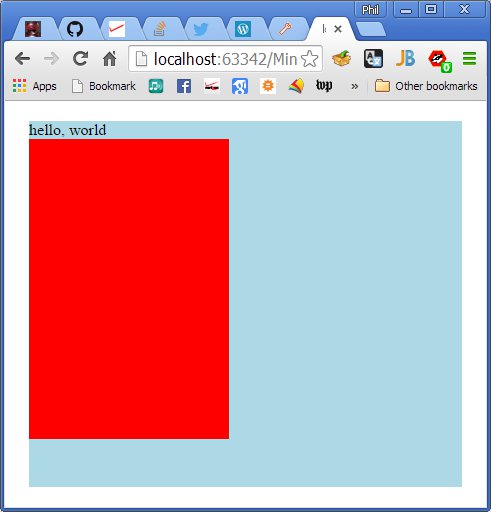
    • Discovered sizing relative to viewport here, which means that the following will fill up the browser window with a 5% whitespace border!
.glWindow{
    position: absolute;
    box-sizing: border-box;
    top: 5vh;
    left: 5vw;
    width: 90vw;
    height: 90vh;
    background-color: red;
}
  • While looking for how to get a canvas element, I found a (good?) TypeScript/WebGL series of posts here.
  • Yay!

helloGL

Phil 2.11.14

8:00 – 2:30 SR

  • Alert the media – there are no problems with the production system at all today. no requests, no messages, no nothing.
  • Angular. Need to drill down further into the ramifications of declaring functions using the public/private foo = (arg) =>{}; How does this manifest in EcmaScript6? Does this work with a static declaration? What about typing the return value? For that matter, do these methods inherit properly? I’m going to create a inherit5 file and try these things. In a perfect world, this pattern should collapse the problems with Factory and Directive.
    • EcmaScript 6: The Mozilla Developer Network discusses fat arrows here. The part about ‘lexical this is worth paraphrasing here:
      • Until arrow functions, every new function defined its own this value (a new object in case of a constructor, undefined in strict mode function calls, the context object if the function is called as an “object method”, etc.). This proved to be annoying with an object-oriented style of programming. In ECMAScript 3/5, this issue was fixed by assigning the value in this (e.g. self) to a variable that could be closed over. Arrow functions capture the this value of the enclosing context, so the following code works as expected.
function Person(){
  this.age = 0;

  setInterval(() => {
    this.age++; // |this| properly refers to the person object
  }, 1000);
}

var p = new Person();
      • So, according to this and as long as the proposal doesn’t change too much, I think we’re on stable ground
      • Set up Inherit5.html and Inherit5.ts. Pretty much everything works in the ‘best case’ way. The only issue is that Factories and Directives require a function that returns a directive for their initialization. The way to deal with that is to still have the ctor() method, but have it called differently:
      • new AngularMain().doCreate(angular, new InheritApp.TestFactory().ctor,...);
      • This creates an instance (with a this! Yay!), but still allows the angular code to create the directive its way. The full code is here:
  • 3:00 meeting in Hanover.
  • 4:30 class

Phil 2.10.15

8:00 – 4:00 SR

  • Discussed when to update PKIs on the servers with Ronda
  • Deployed a new version of FR for Dong
  • Discussed schedule with Chris
  • Angular,
    • Cleaned up the PasswordDirective to include an IloginObj interface and return types on all the functions inside linkFn() within the BaseLoginDirective class.
    • Working on example large controller
      • The ‘declare var’ trick of keeping TypeScript from complaining is only for external items that you set your local variables equal to. For example, the external Chrome function SpeechSynthesisUtterance  would be defined at the top of the TypeScript file that references as
        • declare var SpeechSynthesisUtterance:any;
      • Later, it gets used as
        • var querySpeech:any = new SpeechSynthesisUtterance();
      • It’s possible to build an interface for it (the entire idea behind definitelyTyped), but this is the way to get up and going quickly.
      • Callbacks have turned into a nightmare. A callback does not have a ‘this’ associated with it when it is called. As such, ANY OTHER MEMBER OF THE CLASS IS NOT AVAILABLE, since this is now ‘Window’ scope. See here for more info.
      • It all has to do with the way that TypeScript has to deal with the self = this problem. To tell TS (and implicitly EcmaScript 6), functions are created using ‘fat arrow’ notation (=>). In any case where you would be using ‘self’ rather than ‘this’ in JavaScript (i.e. nested functions), you need to use the fat arrow notation in TypeScript. In the case of an lambda function, it looks like this:
        • this.querySpeech.onend = (event:Event) => {
             this.queryService.submit(this.query, this.goodUserQuery, this.errorResponse);
          };
      • The generated Javascript looks like this:
        • this.querySpeech.onend = function (event) {
              _this.queryService.submit(_this.query, _this.goodUserQuery, _this.errorResponse);
          };
      • Note that rather than ‘self’ TypesScript has defined ‘_this’. It’s declared as you would expect it.
      • With respect to methods, the pattern in similar. Rather than declaring a method in the ‘default manner:
        • public runQuery(query:string){
             this.query = query;
             this.submit();
          };
      • A method should be declared as follows:
        • public runQuery = (query:string) => {
             this.query = query;
             this.submit();
          };
      • These result in very different JavaScript. The former generates a prototype:
        • QueryController.prototype.runQuery = function (query) {
              this.query = query;
              this.submit();
          };
      • While the latter generates a function that is within the ‘constructor’:
        • this.runQuery = function (query) {
              _this.query = query;
              _this.submit();
          };
      • As you can see, we know how things will work out with a callback in the second function because we’re using _this via closure. With the other JavaScript, things are much less clear – this could be global, or what apply would pass in. Scary.
      • I’m thinking that this way of calling functions is a better way of dealing with factories and directives. I’ll have to try that tomorrow.

Phil 2.5.15

8:00 – 6:00 SR

  • Lenny’s using the FR app. So far the only change is that the scheme for saving the project needs to change. Portfolio managers will probably be the last people to touch the submission, so save needs to be supported earlier.
  • Updated my resume to reflect my shiny new MS. I guess it’s a sign of the times, but I have a lot of resumes to update
  • Test TypeScript server access code. If that works, then change the login directive.
  • And it works! I had to change the calling function from this:
(function(angular, queryServicePtr, queryPtr, passwordDialogPtr, undefined) {
   "use strict";
   angular.module('phpConnection', [])
      .factory('QueryService', ['$http', queryServicePtr]);
   angular.module('queryApp', ['phpConnection'])
      .controller('MainCtrl', ['$http', 'QueryService', queryPtr])
      .directive('passwordDialog', ['$http', 'QueryService', passwordDialogPtr]);
})(
   angular,
   globalUtils.appMap.phpFactories.queryServicePtr,
   globalUtils.appMap.queryControllers.queryPtr,
   globalUtils.appMap.passwordDirectives.passwordDialogPtr
);
  • To this JavaScript version…
(function(angular, queryServicePtr, queryPtr, passwordDialogPtr, undefined) {
   "use strict";
   angular.module('phpConnection', [])
      .service('QueryService', ['$http', queryServicePtr]);
   angular.module('queryApp', ['phpConnection'])
      .controller('MainCtrl', ['$http', 'QueryService', queryPtr])
      .directive('passwordDialog', ['$http', 'QueryService', passwordDialogPtr]);
})(
   angular,
   PhpConnectionService.UrlAccess,
   globalUtils.appMap.queryControllers.queryPtr,
   globalUtils.appMap.passwordDirectives.passwordDialogPtr
);
  • And lastly, to TypeScript:
/// <reference path="../../definitelytyped/angularjs/angular.d.ts" />
/// <reference path="../../libs/novetta/services/phpConnectionService.d.ts" />
/// <reference path="../../libs/novetta/directives/PasswordDirectivesTS.d.ts" />

// we do this to accommodate the globalUtils JavaScript object from libs/novetta/globals/globalUtils.js
interface IGlobalUtils{
   appMap:any;
}
declare var globalUtils:IGlobalUtils;

module QueryApp {
   class AngularMain {
      serviceModule:ng.IModule;
      appModule:ng.IModule;

      public doCreate(angular:ng.IAngularStatic,
                  queryServicePtr:Function,
                  queryControllerPtr:Function,
                  passwordDialogPtr:Function){

         this.serviceModule = angular.module('phpConnection', []);
         this.serviceModule.service('QueryService', ['$http', queryServicePtr]);

         this.appModule = angular.module('queryApp', ['phpConnection']);
         this.appModule.controller('MainCtrl', ['$http', 'QueryService', queryControllerPtr]);
         this.appModule.directive('passwordDialog', ['QueryService', passwordDialogPtr]);
      }
   }

   new AngularMain().doCreate(angular,
      PhpConnectionService.UrlAccess,
      globalUtils.appMap.queryControllers.queryPtr,
      PasswordDirectives.BaseLoginDirective.ctor
   );
}
  • That’s it!
  • Now, for completeness, here’s the full TypeScript module with the UrlAccess service:
/// <reference path="../../../definitelytyped/angularjs/angular.d.ts" />

module PhpConnectionService{

   export interface IUrlAccess{
      setPasswordUrl(newUrl:string):void;
      setQueryUrl(newUrl:string):void;
      getPasswordUrl():string;
      getQueryUrl():string;
      submit(query:string, goodResponse:any, errorResponse:any):ng.IPromise<any>;
   }

   export class UrlAccess implements IUrlAccess{
      private passwordUrl:string = 'iopass.php';
      private queryUrl:string = 'io2.php';
      private httpService:ng.IHttpService;

      constructor($http:ng.IHttpService){
         this.httpService = $http;
      }

      static buildParams(obj:any):string {
         var query:string = '';
         var name:string;
         var value: any;
         var fullSubName:string;
         var subName:string;
         var subValue:any;
         var innerObj:any;
         var i:number;

         for(name in obj) {
            if(obj.hasOwnProperty(name)) {
               value = obj[name];

               if(value instanceof Array) {
                  for(i = 0; i < value.length; ++i) {
                     subValue = value[i];
                     fullSubName = name + '[' + i + ']';
                     innerObj = {};
                     innerObj[fullSubName] = subValue;
                     query += UrlAccess.buildParams(innerObj) + '&';
                  }
               }
               else if(value instanceof Object) {
                  for(subName in value) {
                     if(value.hasOwnProperty(subName)) {
                        subValue = value[subName];
                        fullSubName = name + '[' + subName + ']';
                        innerObj = {};
                        innerObj[fullSubName] = subValue;
                        query += UrlAccess.buildParams(innerObj) + '&';
                     }
                  }
               }
               else if(value !== undefined && value !== null) {
                  query += encodeURIComponent(name) + '=' + encodeURIComponent(value) + '&';
               }
            }
         }

         return query.length ? query.substr(0, query.length - 1) : query;
      }

      public setPasswordUrl(newUrl:string):void{
         this.passwordUrl = newUrl;
      }

      public setQueryUrl(newUrl:string):void{
         this.queryUrl = newUrl;
      }

      public getPasswordUrl():string{
         return this.passwordUrl;
      }

      public getQueryUrl():string{
         return this.queryUrl;
      }

      public submit(query:string, goodResponse:any, errorResponse:any):ng.IPromise<any> {
         var upstring:string = encodeURI("query=" + query);
         var upObj:ng.IRequestConfig = {
            url: this.getQueryUrl(),
            method: "POST",
            data: upstring,
            headers: {'Content-Type': 'application/x-www-form-urlencoded'}
         };
         return this.httpService(upObj).then(goodResponse, errorResponse);
      }

      public setPassword(userName:string, userPassword:string, goodResponse:any, errorResponse:any):ng.IPromise<any> {
         var postObj = {query: 'set_password', name: userName, password: userPassword};
         var upObj = {
            url: this.getPasswordUrl(),
            method: "POST",
            data: postObj,
            headers: {'Content-Type': 'application/x-www-form-urlencoded'},
            transformRequest: UrlAccess.buildParams
         };

         return this.httpService(upObj).then(goodResponse, errorResponse);
      }

      public checkPassword(userName:string, userPassword:string, goodResponse:any, errorResponse:any):ng.IPromise<any> {
         var postObj = {query: 'check_password', name: userName, password: userPassword};
         var upObj = {
            url: this.getPasswordUrl(),
            method: "POST",
            data: postObj,
            headers: {'Content-Type': 'application/x-www-form-urlencoded'},
            transformRequest: UrlAccess.buildParams
         };

         return this.httpService(upObj).then(goodResponse, errorResponse);
      }
   }
}
// we do this to accommodate the globalUtils JavaScript object from libs/novetta/globals/globalUtils.js
interface IGlobalUtils{
   appMap:any;
}
declare var globalUtils:IGlobalUtils;
  • So now we have the main calling app done in TS.

Phil 2.3.15

8:00 – 5:00 SR

  • Deploying new FR, with debugging. Everything but the login works. Dong is perplexed.
  • More Angular. Working on figuring out how to do complex directives. Huh. The secret is to understand that directives are static. And it turns out that factories are static too.
  • I’ve got my test app now working with
    • a controller
    • a service
    • a directive (with link function)
    • a factory.
  • Next, inheritance on all of the above.
    • Back to TypeScriptEssentials….
    • Modified the command line for the tsc compiler (under ‘watch’). It’s now tsc.cmd –declaration –noImplicitAny –target ES5 –sourcemap <filename>
    • Inheritance works like a charm. Classes with static functions (Factories and Directives) are a bit problematic, since there’s no ‘this’ to refer to. This means that functions are referred to by their fully qualified name (i.e. TestDirective.foo(), rather than this.foo()). Overloading can’t quite work the way that I’d like to. That being said, the static functions do come along for the ride, so as long as all the references are updated, everything works the way it should.