Monthly Archives: February 2012

Phil 2.10.12

8:00 – 6:00 FP

  • Cleaning up the texture allocation scheme by going to a singleton class like Dprint. Nope, after looking into it, the glGenTextures is guaranteed to return unique handles to textures each time it’s called.
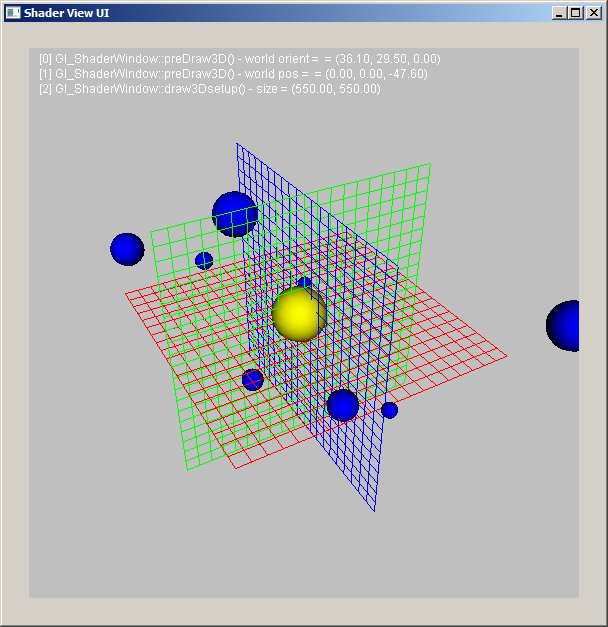
  • Pretty picture:
  • Oh, boy, I get to redo my security form! I guess that’s what I’m spending the rest of the day on.
  • But then the Internet broke, and I had my graphics book cached locally. Can’t work on forms. Darn.

Tom DeVito 02.09.2012

#NOTE:  Communication the right way
Start: 10:00

  • Okay, so I guess my concerns about the programs running at different speeds were not unfounded.
  • To solve this problem it takes multiple cycles to send and receive data.  Before I was worried about loss of data, but the cycles should be fast enough, that the polling rate won’t suffer.
  • The first initializing pass, gets both devices to a Ready state.  After this parts done, the program goes through its first loop and the buffer is loaded with the first set of data.
  • On the second loop, it first checks to see if there is any data in the buffer, if there is it locks the buffer til data is sent.  After this happens it will check to see if it received any messages.  If it has not, it will send a ReadyToSend(RTS) message across the wire and wait for a ClearToSend(CTS) response.  If it has it will change to a CTS state and send a response.
  • On the “third” loop, the RTR side will send a message of send 1 of x packets and will wait for a response before  sending the next packet.  This will take x amount of loops to send all the data.
  • Once all the packets are received the sending side goes into  done state and the receiving side goes into a processing state.  When the data is done being ingested the reciever will respond done and the sender will go into a CTS state and the original receiver will have a chance to send its data.
  • If the original receiver has no data to send it will send a no data message which will trigger the original sender to either go into a RTS or READY state depending on if it has data or not.
  • I think I finally get how to do this properly.  Just need to edit my states to mirror the process outlined above.
  • I have realized that the only thing that each side really cares about is the State of the other side.  I took out all the command and response variables for each side and replaced them with a simple local state and remote state.  When sending and receiving occurs, a special message with state and packets of total is sent.
  • Got rid of master flag as it is no longer needed.
  • Made sure the the class always tries to receive before sending.  This eliminated a need for a separate response method and makes it so both types messages are the same format.
  • Got rid of some other methods which were the product of over thinking the problem
  • For now only 1 packet will be sent at a time to simplify troubleshooting.

End: 6:00

Phil 2.9.12

8:00 –  4:30 FP

  • Onward to the next chapter!
  • Texture maps – we get to make shiny things…
  • Adding a callback to the main window so that textures are released on closing.
  • Textures are working! Going to make things a bit fancier tomorrow.

Tom DeVito 02.08.2012

Start: 10:00

  • Everything that worked before seems to work now.  The standard message passing now works on a continuous loop.
  • I have only tried single passing data
  •  Testing DataDictionary ingesting
  • Fixed a problem with the ingesting if there was no data in the buffer

End: 6:00

Tom DeVito 2.07.2012

10:00:  The first two hours today were devoted to getting paperwork in for my clearance.  Lots of headaches with scanner and both gmail and fgm mail but it is hopefully done for the final time.

Start: 12:00

  • I still don’t really understand how something can get there first if the receive method is called after the send method.  If the receive method was on a separate thread then it could just constantly loop til it receives something, but this is not the case and I am not sure if the arduino is capable of multi-threading.  So the way I decided to make it work is have both sides send their messages and then process them from the buffer into their appropriate remote message buffer.  After this point the master gets the first opportunity to receive a response and the slave the first chance to send a response.  Once whatever process is done the roles get reversed.  This essentially works the same way as you described yesterday, but prioritizes the Ready to Send state to the master first.
  • I believe both PC com and arduinos com are technically on their own thread-like thing.  The issue is if too much is sent before the arduino gets to process it, it will overflow.  This is not really an issue on PCs because they have much larger buffers.
  • Working on revising tests for new set-up

End: 6:00

Mike 2.7.2012

So it turns out I am neither crazy nor as inept as I thought and what I’ve been trying to do can’t be done.  I’ve been trying to combine Eclipse Indigo (3.7) + m2Eclipse + the Google Eclipse Plugin and a few other things to make the best development environment possible.  But there’s currently an issue with GWT 2.4.0 and the Google Eclipse Plugin + m2Eclipse.

Phil 2.7.12

8:30 – 5:00 FP

  • Working on how to chain matrices.
  • Old-school:
  • glRotatef(eyeOrient[0], 1, 0, 0);
    glRotatef(eyeOrient[2], 0, 1, 0);
    glTranslatef(eyePos[0], eyePos[1], eyePos[2]);
    
    // global world transformations
    glTranslatef(worldPos[0], worldPos[1], worldPos[2]);
    
    glRotatef(worldOrient[0], 1, 0, 0);
    glRotatef(worldOrient[1], 0, 1, 0);
  • And How it’s done now:
  • m3dLoadIdentity44(workingMatrix);
    m3dLoadIdentity44(worldMat);
    m3dLoadIdentity44(eyeMat);
    m3dLoadIdentity44(tmat);
    m3dLoadIdentity44(rmat1);
    m3dLoadIdentity44(rmat2);
    
    // handle eyepoint transformations
    m3dRotationMatrix44(rmat1, eyeOrient[0], 1, 0, 0);
    m3dRotationMatrix44(rmat2, eyeOrient[2], 0, 1, 0);
    m3dTranslationMatrix44(tmat, eyePos[0], eyePos[1], eyePos[2]);
    
    m3dMatrixMultiply44(eyeMat, rmat2, eyeMat);
    m3dMatrixMultiply44(eyeMat, rmat1, eyeMat);
    m3dMatrixMultiply44(eyeMat, tmat, eyeMat);
    
    // handle global world transformations
    m3dTranslationMatrix44(tmat, worldPos[0], worldPos[1], worldPos[2]);
    m3dRotationMatrix44(rmat1, worldOrient[0], 1, 0, 0);
    m3dRotationMatrix44(rmat2, worldOrient[1], 0, 1, 0);
    m3dMatrixMultiply44(worldMat, rmat1, rmat2);
    m3dMatrixMultiply44(worldMat, tmat, worldMat);
    
    // combine the eye and eorld xforms
    m3dMatrixMultiply44(workingMatrix, eyeMat, worldMat);
  • Isn’t that better?
  • Ok, cleaned things up a bit, and now I’ve got something I can live with:
  • // global eye transformations
    modelViewMatrix.Rotate(eyeOrient[0], 1, 0, 0);
    modelViewMatrix.Rotate(eyeOrient[2], 0, 1, 0);
    modelViewMatrix.Translate(eyePos[0], eyePos[1], eyePos[2]);
    
    // global world transformations
    modelViewMatrix.Translate(worldPos[0], worldPos[1], worldPos[2]);
    
    modelViewMatrix.Rotate(worldOrient[0], 1, 0, 0);
    modelViewMatrix.Rotate(worldOrient[1], 0, 1, 0);
  • Putting the stage and other bits in

Tom DeVito 2.06.2012

Start: 11:30

  • Fixed the methods which have to do with commanding and response
  • Fumbled a bit trying to figure out the logic for how this should work.  I was concerned about differing rates of the programs, as well as how to make sure that they both don’t try to send at the same time.
  • Talked to Phil about the problems above.  He said the difference in the computer and arduino processing speed should not be an issue, as well as that one message will get there first so as long as it changes the state, there should be no conflict.
  • Working on changes to reflect the above.

end: 6:00

Phil 2.6.12

8:30 – 5:30 FP

  • Hey, it’s my 2 month anniversary of my broken leg. On the whole, progress has been pretty good.
  • Working out how to put all the matrix pieces of a shader system together.
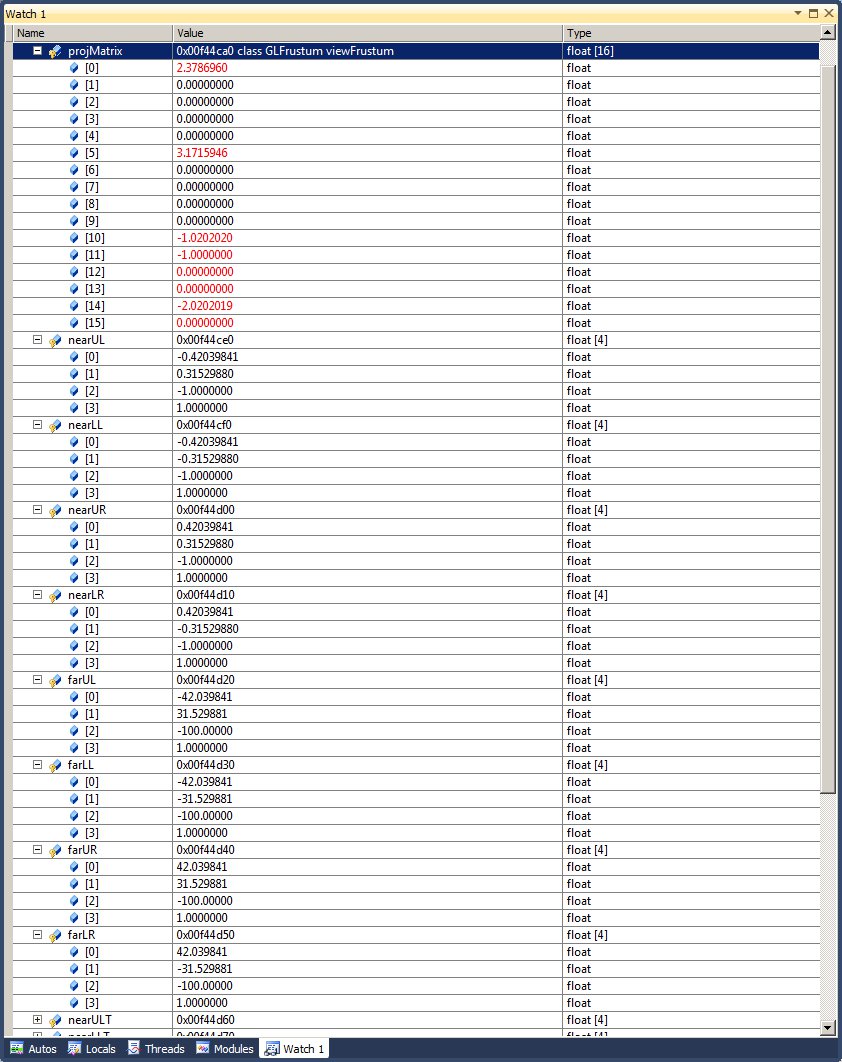
  • After flailing for pretty much most of the day, I discovered that I had set up the view frustum incorrectly, due to a typo. Most things work, but the viewframe isn’t reset ti identity each time through. I need to revisit how to set that up.
  • This was the hint that clued me in, BTW. Yuck.

Tom DeVito 02.05.2011

Start: 5:30pm

  • Continued the work started on Friday
  • Added more comments and fixed spacing to make code more legible
  • Did somewhat of an overhaul on how the ComUtil class works.  Most methods were changed and many were added.  I think I was missing an important part of the concept of how this should work before.
  • Added a WAITING state.  This state is set whenever a command is sent and its waiting for a response.  While in this state it only checks for a response.  A response only comes after the command is completed.
  • Added a set state method.  This checks if its in the proper state for a change to occur.  setStates can only be done when the currect state is READY.
  • Changed the processing of incoming messages and responses
  • I feel the new approach makes things more predictable, so there should be less issues with messages being sent at the wrong times.
  • I need to finish up some stuff, but sometime tomorrow, I would appreciate if Phil reviewed the code.

End: 9:30pm

#NOTE:  The opportunity to Send and Receive data have to be in each single pass.  Otherwise this class will have to run on a faster loop then the rest of the system to accommodate multiple passes.

Tom DeVito 02.05.11

Start: 10:00

  • Moved ComUtil and its test code into the the ComConsole library
  • Changed it so instead of having slave and master the variables are remote and local.  Also added a response instead of using a command like structure for both transmitting and responding
  • Cleaned up the code a bit and added comments, in case I don’t get a chance on the weekend to get it working.  Should be easier to show Phil whats going on with it.
  • Adjusting the states to work with the changes to the varibles

End: 6:00


Dong Shin 02.03.2012

import org.newdawn.slick.TrueTypeFont;

private TrueTypeFont font;

private TrueTypeFont font2;

public void init() {

// load a default java font
Font awtFont = new Font(“Times New Roman”, Font.BOLD, 24);
font = new TrueTypeFont(awtFont, antiAlias);

// load font from file
try {
InputStream inputStream = ResourceLoader.getResourceAsStream(“AnnabelScript.ttf”);
Font awtFont2 = Font.createFont(Font.TRUETYPE_FONT, inputStream);
awtFont2 = awtFont2.deriveFont(24f); // set font size
font2 = new TrueTypeFont(awtFont2, antiAlias);
} catch (Exception e) {
font2 = new TrueTypeFont(awtFont, antiAlias);
e.printStackTrace();
}

matStage.init();
}

public void render() {

GL11.glClear(GL11.GL_COLOR_BUFFER_BIT | GL11.GL_DEPTH_BUFFER_BIT);
GL11.glEnable(GL11.GL_BLEND);
GL11.glBlendFunc(GL11.GL_SRC_ALPHA, GL11.GL_ONE_MINUS_SRC_ALPHA);
GL11.glMatrixMode(GL11.GL_PROJECTION);
GL11.glLoadIdentity();
GL11.glOrtho(0, width, height, 0, 1, -1);
GL11.glMatrixMode(GL11.GL_MODELVIEW);
Color.white.bind();

font.drawString(100, 50, “THE LIGHTWEIGHT JAVA GAMES LIBRARY”, Color.yellow);
font2.drawString(100, 100, “NICE LOOKING FONTS!”, Color.green);
GL11.glDisable(GL11.GL_BLEND);

}

Tom DeVito 2.2.2011

Start: 10:00

  • I decided to change the way handshaking works so it only sends status messages when the status changes.  I am sure the computer doesn’t care how fast these messages are going back and forth, but it is much easier for me to ensure synchronization this way.
  • I am not sure why I thought the ReadFile method was blocking.  It seems it just returns false if there is nothing to read. I did a  test to confirm this.
  • Fixed an error if nothing was connected
  • Added error messages to the toString method
  • ComUtil uses a class called printable which is in the ComLib.  Any class can inherit from this in order to print data or error into the console.  It has a limited number of rows but should suffice consider most data will output on the  simulation interface.

End :6:00