Category Archives: Server

Phil 9.9.13

8:00 – 11:00 SR

  • Backups
  • Fixed the workforce db issue
  • Pat wants an appropriations column for Query Builder
  • Tangie and Carla are going to give demos to some customers later this week and need a walkthrough of Req Asst.

11:00 – 4:00 FP

  • Brought in my Mac Mini. Going to try for Boot Camp and win7.
  • Time to experiment on Dong.

Phil 9.6.13

8:00 – 12:00 SR

  • Backups
  • Deployed new FA4
    • Add “Close” to query save panel
    • Rows in req panel are too tall
    • Need search inside req panel
    • Sum the Req allocation by sub-budget center. GROUP BY dispersal after running, but is saved in the description?
    • Status should be “Due” between now and the 10th.
    • Obligation and outlay uploads still need to be enabled
  • Paperwork. Particularly need to fix the workforce location DB entries.

Phil 9.5.13

8:00 – 10:30SR

  • Backups
  • Meeting with Lenny
  • Deployed FA4 for testing. Bugs follow:
    • total_budget in query builder needs to be formatted as currency
    • Expand columns in total grid to accommodate $999,999,000.00
    • System hangs when loading financial data viewer
    • Can’t move the server log panel or local log panel
    • budget_center.total_budget -> t.total_budget

10:30 – 4:00 FP

  • Downloaded several wav files of sinewave tones, ranging from 100hz to 1,000hz. The files are created using this generator, and are 0.5 sec in length.
  • Glued the tactor actuators in place, since they kept on coming loose during the testing
  • Fixed the file output
    • Each test result is now ordered
    • Fixed a bug where the number of targets and the number of goals were not being recorded
    • Added a listing of the audio files used in the experiment.
  • Got some initial results based on my self-testing today: firstResults


Phil 9.4.13

8:30 – 11:30 SR

  • Backups
  • Deployed new FA
  • Clear login info
  • combobox left edge is not showing in columns
  • Column width should be smarter
  • Total budget in FA is orders of magnitude too high in the new query
  • Project allocated on the project page is zero.

11:30 – 4:30 FP

  • Got the electronics boxed up last night: IMG_2192
  • Need to add “practice mode that lets the user try a setup with a srand(date) and the ability to choose the feedback mode – done
  • Fixed my buggy  sensor

Phil 8.30.2013

8:00 – 11:00 SR

  • Backups
  • Training. Possibly the worst interactive training I’ve ever taken. Please don’t waste my time trying to make training a game. Give me the info, test me on it,and let me move on. Fighting robots!? Sheesh.
  • Timesheet stuff.

11:00 – 5:00 FP

  • Saving output – done
  • Adding TargetSphere placement limits and size range – done
  • Adding GoalBox size – done
  • Setting up release build. Done, though it wasn’t easy. I had to turn off “cross project optimizing”. That worked, but I don’t know why.
  • Still need to enable the “Next” button on the first pass through the test.
  • Still need to box up all the components.

Phil 8.29.13

8:00 – 10:30 SR

  • Backups.
  • Dong’s coming over? Yep. Discussion about queries with Lenny

10:30 – 4:00 FP

  • Cleaning up commands. Mostly done
  • While testing the “test” part of the app, I’m realizing that my “ratio” calculations have some issues. Before tying to fix them directly, I’m going to try just making a different gripper that has three “sensor spheres” on each finger. Then I can just let my “drag-based” physics to the whole job. Finished. That’s much better
  • Quick! What’s wrong with the following code?
	for(int i = 0; i < 3; ++i){
		position[i] += velocityVec[i];
		if(velocityVec[i] > drag*ratio){
			velocityVec[i] -= drag*ratio;
		}else{
			velocityVec[i] = 0;
		}
	}
  • Yep, the drag is only being applied for objects moving in a positive direction. This is a problem that has been driving me crazy for days. I thought is was some artifact of the communication between the Phantom control loop (1k hz) and the simulation loop (100 hz). Nope. Simple math mistake. Facepalm.
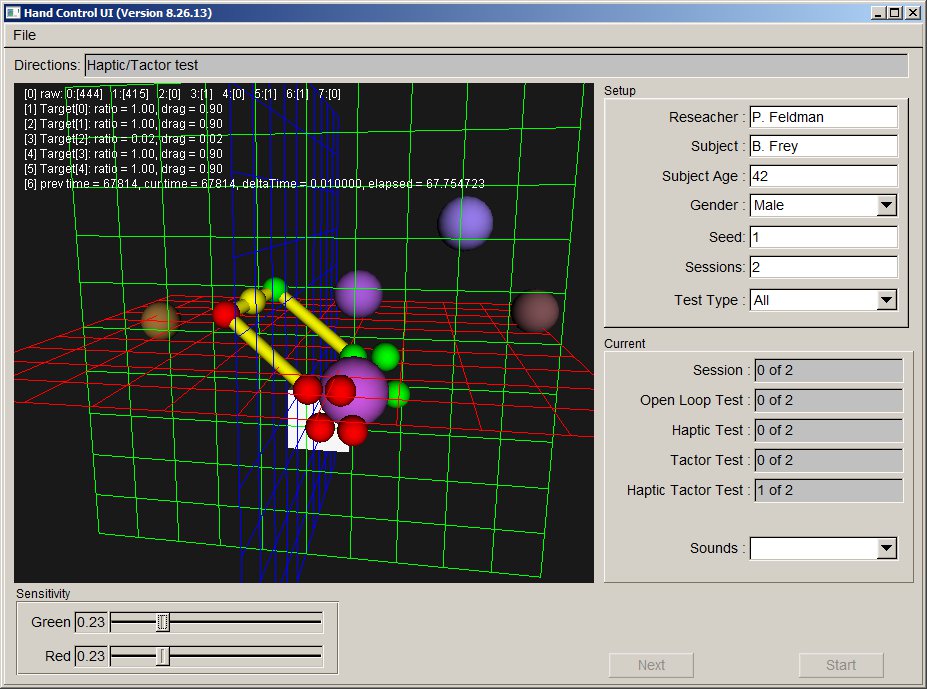
  • Pretty picture for the day. Notice that the grippers now have multiple points of contact:

BetterGripper

  • I’ve also started to notice how feedback changes the speed that you can perform the task. Haptic and tactor seem pretty close. Open loop is much worse, at least subjectively. Let’s see what the data says.

Phil 8.28.13

8:00 – 11:00 SR

  • Backups
  • Training
  • Quick conversation with Lenny and Pat, all seems to be running fine.

11:00 – 4:00 FP

  • Adding test logic
  • Switching between test types.
  • Since session is now integrated in the testing, I need eliminate session switches
  • Need to pull the “general” logic out of the “simulation” command processing.

Phil 8.27.13

8:00 – 10:00 SR

  • Backups
  • Training

10:00 – 4:30 FP

  • Goal Box – done. I had to add collision detection for determining if a TargetSphere was touching (for setup) or inside (achieving the goal). I basically wrote an axis-aligned bounding box where the radius of the TargetSphere was either added (inside) to or subtracted from (touching) the size of the GoalBox. I’m not calculating penetration, just looking for sign change on the line segment.
  • Added <map> of UI_cmd to handle commands coming from the control system and results coming from the sim. Worked right the first time. Yay, C++ templates!
  • Enable/disable haptics/tactors – done. It’s interesting to see how the behavior and feel of the system changes with the different capabilities enabled/disabled.
  • Started working on the experiment session management

Picture for the day:

GoalBox

Phil 8.26.13

8:00 – 10:00 SR

  • Backups
  • Training
  • Chris and Lenny are out – quiet!

10:00 – 4200 FP

  • Working on adding test sequences and a goal box
  • Added goal box. Working on rendering. I’ll need to break out the method that calculates a target’s initial placement so that it is aware of the box and is placed outside. It might actually be easier(?) to use spherical coordinates.

Phil 8.23.13

8:00 – 10:00 SR

  • Backups
  • Paperwork
  • Added Dimitri as a VISIBILITY user with his on role so that he can play around.
  • Timesheets!

10:00 – 4:00 FP

  • Getting sounds associated with TargetSpheres – done!
  • Added TestManager and TestResult from VibrotactileHeadsetFLTK. Now making changes to accomodate the types of testes we’ll be doing with this application.
  • Added write setup file
  • Added read setup file
  • Progress for today: ReadingFromFile

Phil 8.19.13

8:00 – 11:00 SR

  • Backups.
  • Got the list of queries that Lenny and Chris think would be a good starting point.
  • Working out hours remaining on FP. Sent off to brad

11:00 – 4:00 FP

  • it looks like there are bugs in the audio code. It seems that you cannot do zero speed sessions. And the writing out of results with multiple sound files looks pretty confused. I’m not sure if extra CRs are being put in there or if some of the data isn’t being written out. Need to run some more examples. And I just can’t make it break. Odd.
  • Fixing the state problem. Done.
  • Fixing the saving issue. Also changing the naming of the speakers to reflect Dolby or not. Done.
  • New version release built and deployed.

Phil 8.16.13

8:00 – 10:00 SR

  • Backups
  • A little unpacking. Now that I have a desk, I can have some tea!

10:00 – 4:00 FP

  • Adding custom speaker number and placement as per Dr. Kuber’s request.
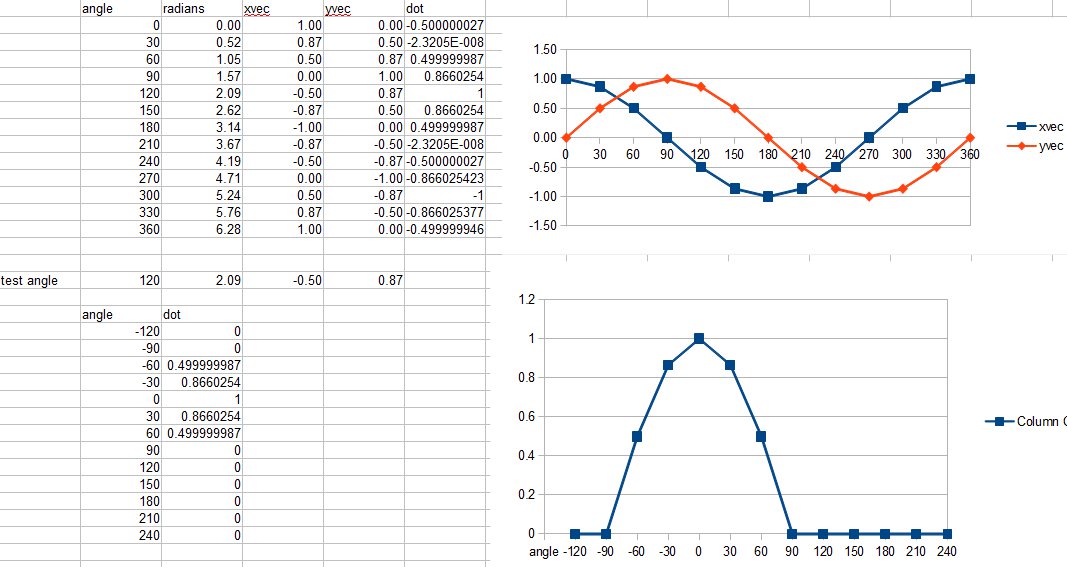
  • Looks like dot product should do the trick: DotProduct
  • Done! With only a couple of string compare issues. I also had to make the speaker index jump around the subwoofer channel until I can work out how to set the EQ.

Phil 8.14.13

8:00 – 11:00 SR

  • Backups
  • Some more back and forth with Brandon W. Not sure where that’s going.
  • Showed Pat VISIBILITY. She might be able to help with a proof-of-concept ROI visualization
  • Poked at Dong’s dynamic panel problem

11:00 – 4:00 FP

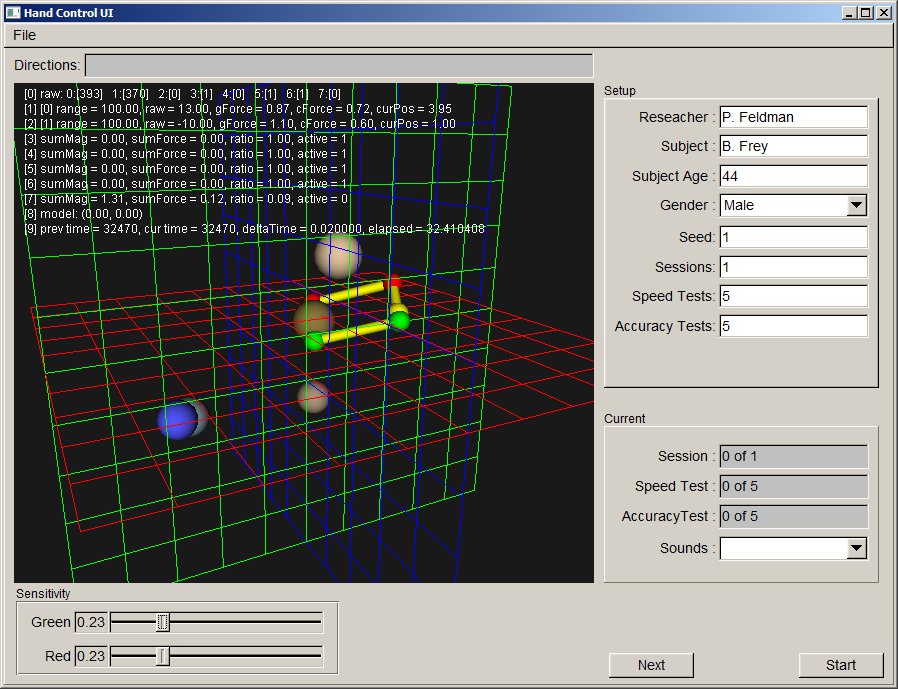
  • Added force interaction between gripper and target sphere
  • Determined how to make the ratio calculation work. If the sum of all of the magnitudes on the target is greater than zero, then the ratio equals the magnitude of the sum of the force vectors divided by the sum of each magnitude. A value of 1.0 means that there is no contact. A value of 0.0 is a perfectly opposing contact. As currently implemented, if the ratio is less than 0.5, then the position of the target sphere is set to the point that lies between the two grippers, otherwise the (summed) contact force vector is applied to the target.
  • Need to add walls around the work environment so that the targets can’t get out of reach.
  • Need to add the metal standoffs for the speakers. I was thinking about ordering some box tubing, but the sizes weren’t optimal. I’ll bend up some metal tonight.
  • Need to start adding in the code that will support the experiments
    • Task code
    • Feedback options
      • Position and pressure only
      • Position, force feedback and pressure
      • Position, pressure and vibration
      • Position, force feedback, pressure and vibration.