8:00 – 4:00 SR
- DB & Webapps backups
- Status reports!
- Deployed new FA and RA
- Three.js
- tween.js looks very nice and usable. Commented even.
- Blur effect in the framebuffer: http://tinyurl.com/mty5m76

8:00 – 4:00 SR
8:00 – 4:00 SR
8:00 – 4:00
8:00 – SR
8:00 – 4:00 SR
8:00 – 5:00 SR
8:00 – 4:00 SR
First, the shaders. Data comes into the vertex shader and is then copied over to the varying variable(s)
var VSHADER_SOURCE =
  'attribute vec4 a_Position;\n' +
  'attribute vec4 a_Color;\n' +
  'varying vec4 v_Color;\n' +
  'void main() {\n' +
  '  gl_Position = a_Position;\n' +
  '  gl_PointSize = 5.0;\n' +
  '  v_Color = a_Color;\n' +
  '}\n';

// Fragment shader program
var FSHADER_SOURCE =
    '#ifdef GL_ES\n' +
    '   precision mediump float;\n' +
    '#endif\n' +
    'varying vec4 v_Color;\n' +    // Receive the data from the vertex shader
    'void main() {\n' +
    '   gl_FragColor = v_Color;\n' +
    '}\n';
Then we create the data:
    // Create a buffer object
    g_vertexBuffer = gl.createBuffer();
    g_colorBuffer = gl.createBuffer();
    if (!g_vertexBuffer || !g_colorBuffer) {
        var msg = 'Failed to create the buffer object';
        console.log(msg);
        alert(msg);
        return -1;
    }

    // Bind the buffer object to target
    gl.bindBuffer(gl.ARRAY_BUFFER, g_vertexBuffer);
    var a_Position = gl.getAttribLocation(gl.program, 'a_Position');
    if (a_Position < 0) {
        var msg = 'Failed to get the storage location of a_Position';
        console.log(msg);
        alert(msg);
        return -1;
    }
    // Assign the buffer object to a_Position variable
    gl.vertexAttribPointer(a_Position, 2, gl.FLOAT, false, 0, 0);
    // Enable the assignment to a_Position variable
    gl.enableVertexAttribArray(a_Position);

    // Bind the buffer object to target
    gl.bindBuffer(gl.ARRAY_BUFFER, g_colorBuffer);
    var a_Color = gl.getAttribLocation(gl.program, 'a_Color');
    if (a_Position < 0) {
        var msg = 'Failed to get the storage location of a_Color';
        console.log(msg);
        alert(msg);
        return -1;
    }
    // Assign the buffer object to a_Color variable
    gl.vertexAttribPointer(a_Color, 3, gl.FLOAT, false, 0, 0);
    // Enable the assignment to a_Position variable
    gl.enableVertexAttribArray(a_Color);

    // clear everything at the end
    gl.bindBuffer(gl.ARRAY_BUFFER, null);
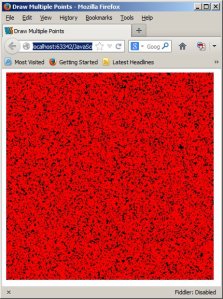
Last, we enter the drawing loop. First, we get the handles to the attributes, then sequentially bind, enable and overwrite their data buffers
    var a_Position = gl.getAttribLocation(gl.program, 'a_Position');
    var a_Color = gl.getAttribLocation(gl.program, 'a_Color');
    // Clear
    gl.clear(gl.COLOR_BUFFER_BIT);

    // make some new vertex data
    for(var i = 0;i < (n*2); ++i){
        vertexDataArray[i] = Math.random()*2.0 - 1.0; // make some new vertex positions
    }
    // Write date into the vertex buffer object
    gl.bindBuffer(gl.ARRAY_BUFFER, g_vertexBuffer);
    gl.enableVertexAttribArray(a_Position);
    gl.bufferData(gl.ARRAY_BUFFER, vertexDataArray, gl.STATIC_DRAW); // use the new vertex positions

    // Write date into the vertex buffer object
    gl.bindBuffer(gl.ARRAY_BUFFER, g_colorBuffer);
    gl.enableVertexAttribArray(a_Color);
    gl.bufferData(gl.ARRAY_BUFFER, colorDataArray, gl.STATIC_DRAW); // write the same color values

    gl.bindBuffer(gl.ARRAY_BUFFER, null);

    // Draw the points
    gl.drawArrays(gl.POINTS, 0, n);
8:00 – SR
8:00 – 4:00 SR
8:00 – 4:00 SR

8:00 – 4:00 SR
8:00 – 4:00 SR
8:00 – 5:00 SR
8:00 – 4:00 SR
8:00 – 5:30 SR
 viztales
You must be logged in to post a comment.