8:00 – FP
Category Archives: VISIBILITY
Phil 2.1.12
8:30 – 4:30 FP
- Starting the OpenGl SuperBible 5th Edition, which covers OpenGl 3.0+
- Hmm. Can’t check out code from svn http://oglsuperbible5.googlecode.com/svn/trunk/
- Here’s the useful SVN fix of the week: “SVN uses a few HTTP commands that not every web proxy and/or firewall understands, which can lead to errors. There is one thing that might fix this for you, and that is to use HTTPS instead of HTTP, because then the
connection is encrypted and any proxy/firewall in between can’t mess with the content. I checked, and the server provides HTTPS access, although that is not necessarily always the case. “ - Ok, after some heroic struggling with getting libraries to behave and dealing with static declarations, I can now draw a simple triangle. I’m going to try to do the same in FLTK now, since I’d like to get away from static libraries…
- Got a basic Shader Window framework compiled. Will test tomorrow.
Dong Shin 01.27.2012
- got Tutorial/Help document from Kristi
- created SVN Repo for the documentation and went it over with Kristi
- updated PPM and PA for links to the documentation, uploaded to FGMDEV
- burned a CD for site install
Kristi 01.27.2012 – Visibility
Visibility documentation for Program Assistant sent to Mike and Dong for Rollout.
Dong/Mike assisted me with TortoiseSVN – username/password.
Transferred all documentation documents to server.
Mike and Dong to work on uploading documentation to classified server for customer use.
Phil 1.18.12
8:30 – 4:30 FP
- Asked Dong to look at setting up the first pass of the chart applet using the potatoland.org/gl code as a possible foundation, since it seems to be the best example of working text overlays.
- Getting openGL running in FLTK, then porting the hand
- Got the CubeView program compiling and linking. To do this, I pointed the “additional include directories” to point to C:/FLTK/branch1.3, which has FL/ underneath it. Then I pointed the “additional libraries directories” to C:/FLTK/branch1.3/lib. The last thing I had to do was point at the proper libraries (note that these are debug directories):
- glu32.lib
- fltkgl.lib
- fltkd.lib
- wsock32.lib
- comctl32.lib
- opengl32.lib
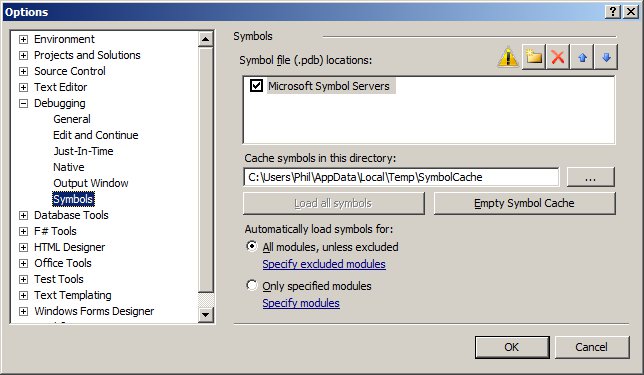
- Once I got the system running, there were piles of “PDB” warning messages (i.e. “‘C:WindowsSysWOW64ntdll.dll’, Cannot find or open the PDB file “). You can fix these by getting the debug symbol tables from microsoft:
- tools->options…
- Having an odd problem with setting the background color. I need to set the glClearColor() in the predraw, before every frame, otherwise it comes up as black. Not sure why.
- Turns out that in FLTK GL windows, the graphics context is reset after things like a resize. THis means that the init code can’t be in the constructor, but rather needs to be in the draw function in the following way:
drawUniverse(){
if(!valid()){
glEnv->init(w(), h()); // called when the context
// has been (re)created
}
glEnv->predraw(w(), h());
draw();
}
Phil 1.17.12
8:00 – 5:00FP
- Continuing on with collision detection
- But first, I need to be able to see a text overlay. Looks like lwjgl has this with their Slick-Util lib. Ugh. This is getting harder than I was hoping….
- Moving hand code over to MSVC, after installing updates
- Building the debug and release dlls
- Another take on 3D. This works in your iPhone: http://css-3d.org/. An example of a website that uses this is http://acko.net/. And there’s http://mrdoob.github.com/three.js/, also. It’s a JavaScript library that renders to WebGL or SVG
- Getting Started with Three.js
Dong Shin 01.13.2012
- LoadApplet GWT Application
- http://www.fgmdev.com:8080/LoadApplet/LoadApplet.html
- loads Java Applet specified in the main
- uses JSNI to communicate with the Applet
- Test3DApplet.java has examples of calling Applet’s methods and specifying the callback from the Applet
- public native void setColor(String color) /*-{
$wnd.document.getElementById(“myApplet”).getApplet().setColor(color);
}-*/;public native void getFramerate(Test3DApplet x) /*-{
$wnd.showFrameRate = function(frameRateStr) {
x.@com.fgm.loadApplet.client.applet.Test3DApplet::showFrameRate(Ljava/lang/String;)(frameRateStr);
}
// $wnd.showFrameRate(“01000”);
$wnd.document.getElementById(‘myApplet’).getApplet().getFrameRate(
“showFrameRate”);
}-*/;public void showFrameRate(String frameRateStr) {
GWT.log(“frameRate: ” + frameRateStr);
frameLabel.setText(“Framerate: ” + frameRateStr);
} - checked into /Sandbox_folders/DONG_SANDBOX/LoadApplet
Dong Shin 01.06.2012
- deployed the latest PPM and PA
- reviewed with Tangie
- She wants to be able to review the budget amounts info for individual sub projects
- working on viewing budget amount of sub projects
- query to retrieve yearly budget amounts
- SELECT c.uid , SUM(amount), year
FROM budget_centers c
LEFT JOIN budget_amounts a
ON c.uid = a.budget_center_id
WHERE project_id = 99
GROUP BY year - made windows non-modal, can view multiple projects. close all on Create Project panel close
Phil 1.5.12
8:30 – 4:30 VISIBILITY
- Got Clif’s and Marcus’ phone numbers for Brian and cleaned out my stuff from our temp seats
- Discovered that the OpenGL Shading Language (3rd Edition) is available in the ACM Safari library. Cool.
- Lots of useful lwjgl code: http://users.xith.org/JavaCoolDude/JWS/Lwjgl/
- Onward with shaders
- http://www.lighthouse3d.com/tutorials/glsl-tutorial/data-types-and-variables/
- http://www.lighthouse3d.com/tutorials/glsl-tutorial/statements-and-functions/
- http://www.lighthouse3d.com/tutorials/glsl-tutorial/varying-variables/
- http://www.lighthouse3d.com/tutorials/glsl-tutorial/shader-examples/
- Hmm. Need to set up some geometry that shaders can work with. Building a cube with normals. And adding lighting. Teapot later?

- The cube on the left is painted with a simple shader, the cube on the right is lit. Tomorrow, we make a fancy shader.
- Appboard demo from 2:00 to 3:00
Phil 1.4.12
8:30 – 4:30 VISIBILITY
- Internet access is *slow* today.
- Tried to get ahold of Clif today to see what I should be doing. No luck yet.
- Deployed the lwjgl war to our servers. All seems to be working well.
- Working on shaders.
- Found another shader editor: http://www.opengl.org/sdk/tools/ShaderDesigner/
- And here’s the manual: http://www.opengl.org/sdk/tools/ShaderDesigner/ShaderDesignerManual.pdf
- However, the above does not run on my machine. RenderMonkey does though.
- Tutorials continued: http://www.lighthouse3d.com/tutorials/glsl-tutorial/. Got through to Data Types and Variables. The only odd thing that’s come up sop far us that FloatBuffer has to be set at twice its size to work in glLight(), otherwise I get the error:
- Number of remaining buffer elements is ‘X’, must be at least 4. Because at most 4 elements can be returned, a buffer with at least 4 elements is required, regardless of actual returned element count
Dong Shin 01.03.2011
- met with Tangie and got some enhancement requests.
- list of project as Excel spreadsheet
- sortable columns on people
- parent/child projects for TST projects
- removed splash screen and help section from Project Assistant
- add export to Excel for the list of projects
- enabled sorting on people columns in Project Management
Phil 1.3.12
8:30 – 4:30 VISIBILITY
- My timesheet’s not working. Sent Sally a note with a screenshot. Turns out the system is shut down for the week.
- Going to document all the moving pieces of the system – done
- Shader example for LWJGL: http://lwjgl.org/wiki/index.php?title=GLSL_Shaders_with_LWJGL
- I think the shaders are going to have to be stored as assets in the jar file? Or maybe deployed in the war?
- Got the shader code working. That was easy. Not messing with making it an applet yet – I’m going to work on making some more sophisticated shaders. Starting here: http://www.lighthouse3d.com/tutorials/glsl-tutorial/
- A physics library. How cool: http://jbullet.advel.cz/
- And a 3D engine: http://www.jpct.net/index.php That also works in applets.
- Installed RenderMonkey 1.82 for shader work.
- Charge 32.5 hours to leave on this timesheet!
- Trying to check in the sandbox project, but SVN isn’t asking for my password and as such, failing. Grrrr. Fixed.
- The correct SVN client for Indigo (Eclipse 3.7) is the one that is can be reached at “Indigo – http://download.eclipse.org/releases/indigo” in the “Install New Software” dialog. Select the “Collaberation” component and get the SVN pieces. I installed the following:
- Subversive SVN JDT Ignore Extensions (Optional)(Incubation)
- Subversive SVN Team Provider (Incubation)
- And that seems to work. I now have two SVN view categories that I have to choose between but I’m afraid to uninstall.
Phil 1.2.12
8:30 – 4:30 VISIBILITY(?)
- Working on Applet stuff
- More pages that cover Javascript/HTML/Java communication: http://www.raditha.com/java/javascript.php
- It turns out that browsers call applets in unique ways, something that surprises none of you reading this. There is a Java tool, called htmlconverter.jar that comes with the 1.5 (and greater?) jdk. More info is here: http://docs.oracle.com/javase/1.5.0/docs/guide/plugin/developer_guide/html_converter_more.html
- Going to try to run two applets inside the same web page and make sure that the canvas is allocated correctly.
- Looks like communication from JS to Java is handled through AppletLoader.getApplet(). Java to JavaScript is handled normally. http://lwjgl.org/forum/index.php?topic=3266.0
- More on communication, from the LWJGL website: http://www.lwjgl.org/wiki/index.php?title=Deploying_with_the_LWJGL_Applet_Loader_4_-_Polish_and_Tweaks
- Added my JavaScript color button. Events are working and I think it’s vanilla that it will work on all browsers? Yup. So far…
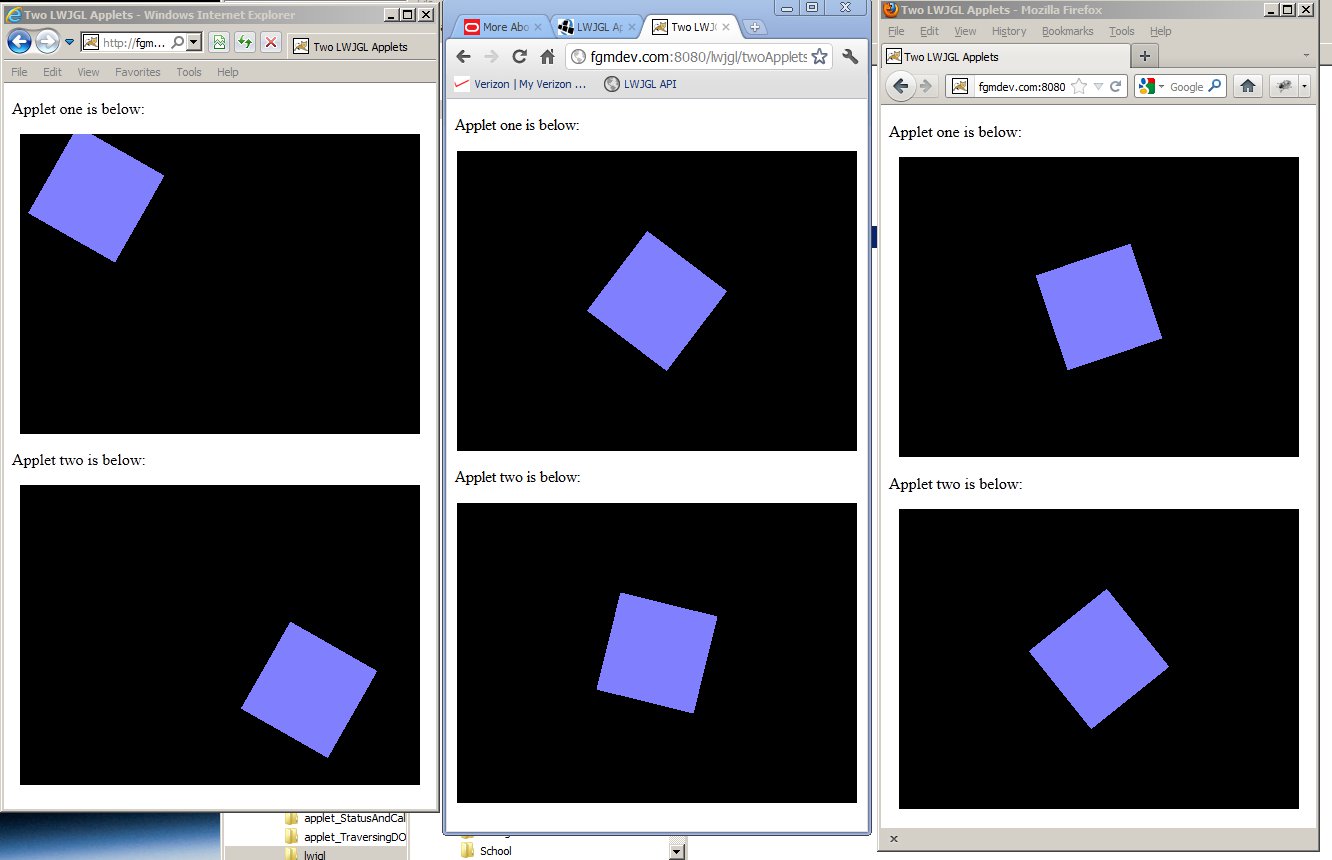
- Running the two applet webpage on fgmdev here: http://fgmdev.com:8080/lwjgl/twoApplets.html. It took one refresh to get everything working in Firefox, but Chrome and IE worked just fine. If you try this in your browser, let me know how it works in the comments section. Focus works too. If you click in the applet, you can move the rotating square with the arrow keys.
- Sending a string from JavaScript to the spinning quad via the LWJGL Appletloader:
- document.getElementById(‘myApplet’).getApplet().setColor(colorStr)
- Working on communicating with JavaScript from the applet.
- Doing this with Maven: http://rostislav-matl.blogspot.com/2011/10/java-applets-building-with-maven.html
- Had to point the buildpath at plugin.jar, which was in my Java jre/lib directory. It’s not in Maven. If this all works, I’ll add it to our local repo.
- Got it. You can call a JS function or an element in the document. Kinda cool, actually. This turned out to be the most useful link: http://www.codeproject.com/KB/scripting/javatojs.aspx. You can play with the running code here.
- Cool pix for the day – multiple applets running in all browsers:

Phil 12.30.11
- 8:30 – 4:30 VISIBILITY
- Going through the LWJGL tutorials here.
- Got a window test up and running with keyboard interaction and (fast!) animation.
- Added Applet capability to the above. It runs in the Eclipse Applet viewer. Now I need to get it to run in Tomcat…
- Sun/Oracles Applet development examples
- Deploying with the LWJGL Applet Loader 1 – Basics
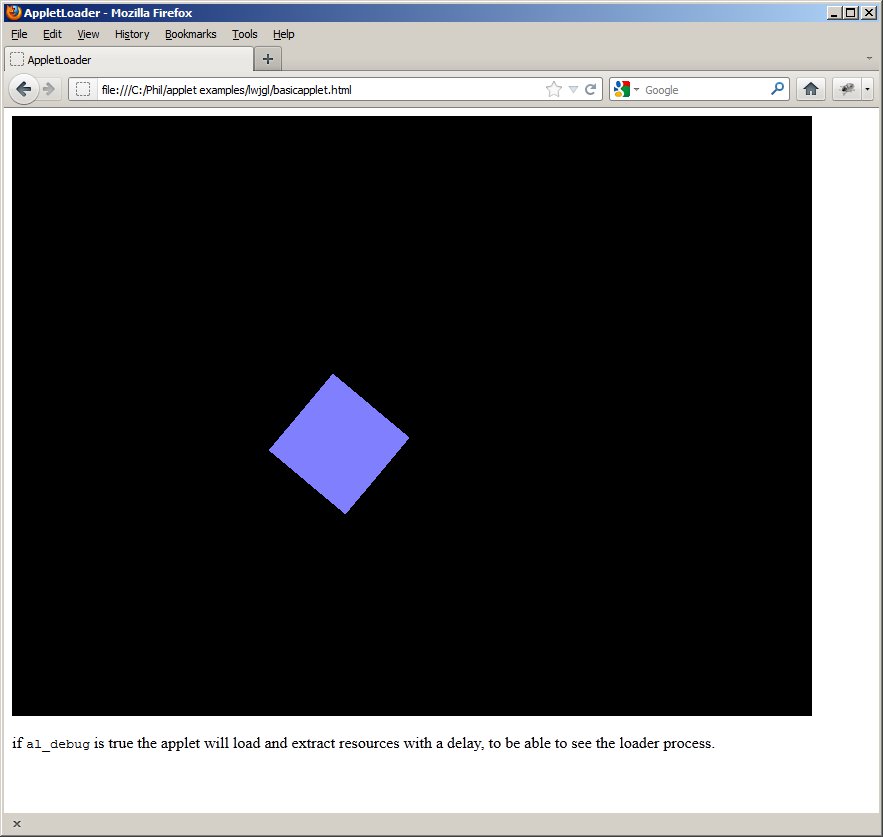
- Success! Using basicapplet.html in Phil/applet/lwjgl folder. Need to look at how to send data between the wrapper and the 3D app, since it’s going through the lwjgl applet wrapper.

Dong Shin 12.29.2011
- working at home
- nicer interface on upgraded blog!
- working on Project Manager GWT
- finally got the financial data displayed just like PPM
- fetching all the data at once, getProjectDetails. This returns all Budget Centers, Budget Amounts, and Obligations/Outlays
- NULL fields displaying 0.0, need to work on parsing data correctly
- works really fast in compiled mode, unlike slow PPM
- working on data formatting/editing


You must be logged in to post a comment.