8:00 – 4:00 SR
- Backups
- Got my copy of the OpenGL ES programming guide
- Database updates
- The DbTable.writeToVizDb() Query: is not showing the query
- There is a ScriptFacades.dbStoredQuery saying that there is a syntax error at line 1 in listing of a ‘2013 Summary by Appropriation and Capability’. Turns out that it was spaces in the column names. We’ll fix that tomorrow.
- Javascript
- NURBS and such for way-cool charts. Trust me on this. http://verbnurbs.com/
- Firefox apparantly has some odd bug. When gl.getShaderInfoLog(shader) is called, it returns a string that breaks Strings. Assigning it to a string or sending it to the cosole causes JavaScript to become unresponsive. The results can be put into an alert, though about 50% of the time, the following error appears: TelemetryStopwatch: key “FX_PAGE_LOAD_MS” was already initialized resource://gre/modules/TelemetryStopwatch.jsm
NS_ERROR_NOT_AVAILABLE: prompt aborted by user resource://gre/components/nsPrompter.js
- This appears to be a known FF bug?
- Nice online shader editor: http://shdr.bkcore.com/
- Damn – *Firefox* has built in shader editors!
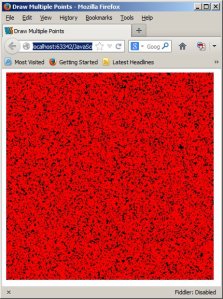
- So now that we’ve had the opportunity to see some helpful error messages, here’s how you set up and use multiple array buffers in WebGL:
First, the shaders. Data comes into the vertex shader and is then copied over to the varying variable(s)
var VSHADER_SOURCE =
  'attribute vec4 a_Position;\n' +
  'attribute vec4 a_Color;\n' +
  'varying vec4 v_Color;\n' +
  'void main() {\n' +
  '  gl_Position = a_Position;\n' +
  '  gl_PointSize = 5.0;\n' +
  '  v_Color = a_Color;\n' +
  '}\n';

// Fragment shader program
var FSHADER_SOURCE =
    '#ifdef GL_ES\n' +
    '   precision mediump float;\n' +
    '#endif\n' +
    'varying vec4 v_Color;\n' +    // Receive the data from the vertex shader
    'void main() {\n' +
    '   gl_FragColor = v_Color;\n' +
    '}\n';
Then we create the data:
    // Create a buffer object
    g_vertexBuffer = gl.createBuffer();
    g_colorBuffer = gl.createBuffer();
    if (!g_vertexBuffer || !g_colorBuffer) {
        var msg = 'Failed to create the buffer object';
        console.log(msg);
        alert(msg);
        return -1;
    }

    // Bind the buffer object to target
    gl.bindBuffer(gl.ARRAY_BUFFER, g_vertexBuffer);
    var a_Position = gl.getAttribLocation(gl.program, 'a_Position');
    if (a_Position < 0) {
        var msg = 'Failed to get the storage location of a_Position';
        console.log(msg);
        alert(msg);
        return -1;
    }
    // Assign the buffer object to a_Position variable
    gl.vertexAttribPointer(a_Position, 2, gl.FLOAT, false, 0, 0);
    // Enable the assignment to a_Position variable
    gl.enableVertexAttribArray(a_Position);

    // Bind the buffer object to target
    gl.bindBuffer(gl.ARRAY_BUFFER, g_colorBuffer);
    var a_Color = gl.getAttribLocation(gl.program, 'a_Color');
    if (a_Position < 0) {
        var msg = 'Failed to get the storage location of a_Color';
        console.log(msg);
        alert(msg);
        return -1;
    }
    // Assign the buffer object to a_Color variable
    gl.vertexAttribPointer(a_Color, 3, gl.FLOAT, false, 0, 0);
    // Enable the assignment to a_Position variable
    gl.enableVertexAttribArray(a_Color);

    // clear everything at the end
    gl.bindBuffer(gl.ARRAY_BUFFER, null);
Last, we enter the drawing loop. First, we get the handles to the attributes, then sequentially bind, enable and overwrite their data buffers
    var a_Position = gl.getAttribLocation(gl.program, 'a_Position');
    var a_Color = gl.getAttribLocation(gl.program, 'a_Color');
    // Clear
    gl.clear(gl.COLOR_BUFFER_BIT);

    // make some new vertex data
    for(var i = 0;i < (n*2); ++i){
        vertexDataArray[i] = Math.random()*2.0 - 1.0; // make some new vertex positions
    }
    // Write date into the vertex buffer object
    gl.bindBuffer(gl.ARRAY_BUFFER, g_vertexBuffer);
    gl.enableVertexAttribArray(a_Position);
    gl.bufferData(gl.ARRAY_BUFFER, vertexDataArray, gl.STATIC_DRAW); // use the new vertex positions

    // Write date into the vertex buffer object
    gl.bindBuffer(gl.ARRAY_BUFFER, g_colorBuffer);
    gl.enableVertexAttribArray(a_Color);
    gl.bufferData(gl.ARRAY_BUFFER, colorDataArray, gl.STATIC_DRAW); // write the same color values

    gl.bindBuffer(gl.ARRAY_BUFFER, null);

    // Draw the points
    gl.drawArrays(gl.POINTS, 0, n);


 viztales
You must be logged in to post a comment.